


I hated Obsidian when I first started using it. Genuinely hated it.
I discovered it five years ago while trying to move away from Roam Research, which I was using for my notes. The two tools share ideas such as daily notes and backlinks, but in most other ways they felt completely different. I disliked Obsidian’s appearance, found the file-based approach awkward and thought the plugin ecosystem was bloated.
But I couldn’t find a better alternative, so I persisted. And believe me, I tried them all. It took months to build a consistent habit with Obsidian, and several more years of experimenting before I found a way of working that really suited me.
Now I use it most days and couldn’t imagine working without it. It is where I collect ideas, wrestle with my thinking, support my creativity and keep track of life.
That change taught me something: Obsidian is not a tool you simply adopt. You have to shape it around the way you think. These are the lessons that helped me do that, and they may help if you are struggling to make writing in Obsidian stick.
SIMPLE IS BETTER
One of the biggest frustrations with Obsidian is how complex it can become. That was intimidating for me too. But at its foundation, Obsidian is only as complicated as you make it.
When I first started using it, I made things far too complicated. I watched tutorials from people navigating vaults built over years of PhD research and assumed I needed to create something similar. Over time, my vault became bloated, and I found myself not wanting to use it.
The more complexity you introduce into a habit, the less likely you are to stick with it. For a daily note-taking practice, this is especially true. I eventually had to make some pragmatic decisions about what to include and, more importantly, what to leave out.
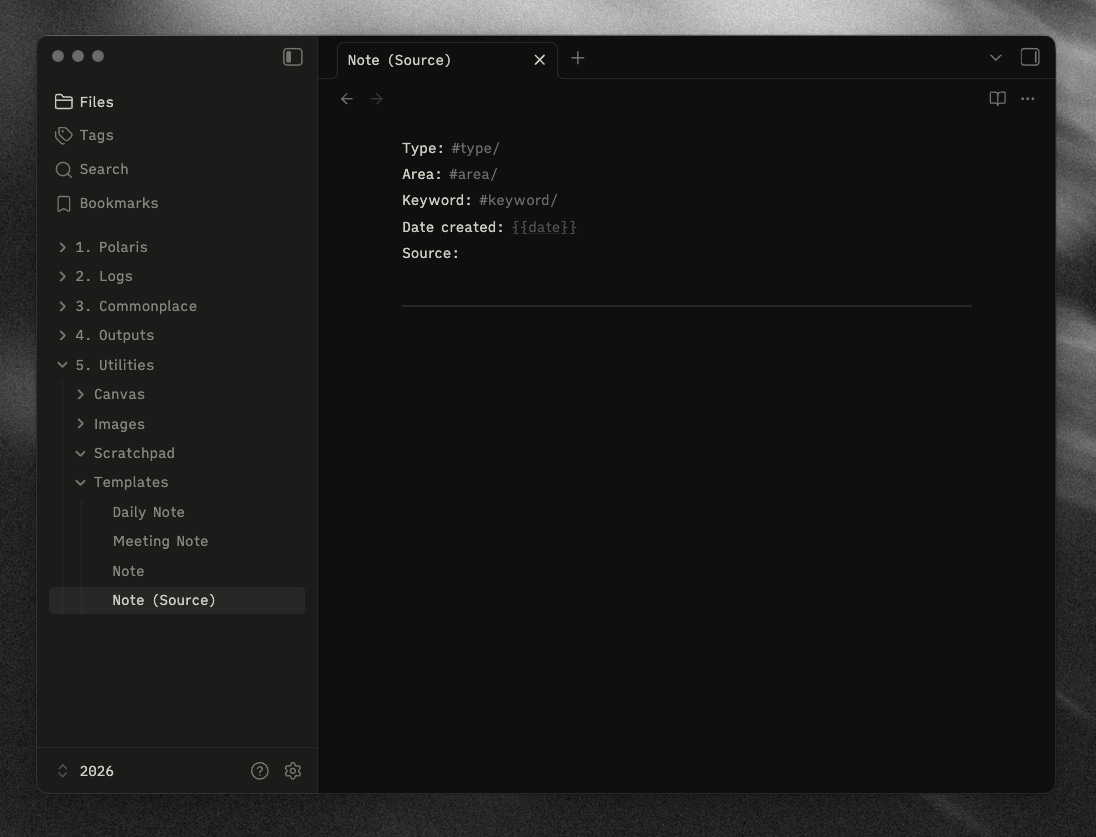
These are the rules I set for myself:
Keep community plugins to fewer than ten, with no exceptions.
Rely on folders, tags and backlinks for navigation.
Avoid subfolders wherever possible.
Keep templates to a minimum. Most of my notes follow a similar structure, which I find beneficial.
Avoid adopting new Obsidian features unless there is a genuinely good reason.
Start a new vault at the beginning of each year, like a notebook or journal.
Don’t allow anything into the vault that I haven’t deliberately chosen to add. This rules out automatic imports, Readwise and AI-generated content. The exception is the Obsidian Web Clipper.
Once I focused on doing as much as possible in the simplest way possible, Obsidian became a habit rather than a chore.
PROTECT CONSISTENCY
A new feature is not automatically an improvement for your own workflow.
One question I get asked quite often is why I don’t use Obsidian Bases for navigation.
Bases didn’t exist when I started using Obsidian. It is a newer feature built around ideas that have been popular in the community for a long time, particularly through the Dataview plugin. Both allow you to view your notes in list or database-style layouts, similar to what you might see in Notion.
I experimented with both Dataview and Bases, but decided not to use them for two simple reasons.
First, I wasn’t sure what problem they solved for me. My existing system already worked, and I couldn’t see what these new views would add to my notes.
Second, using them would have meant reformatting most of my notes to make them useful. Both rely on properties or frontmatter that I wasn’t already writing. I could have made that change, but I didn’t see enough value in doing so.
I don’t think Bases or Dataview are bad. They are probably very useful for people who need what they offer. But once you find a way of working that suits you, there is value in protecting its consistency rather than jumping down every new rabbit hole.
QUALITY > QUANTITY
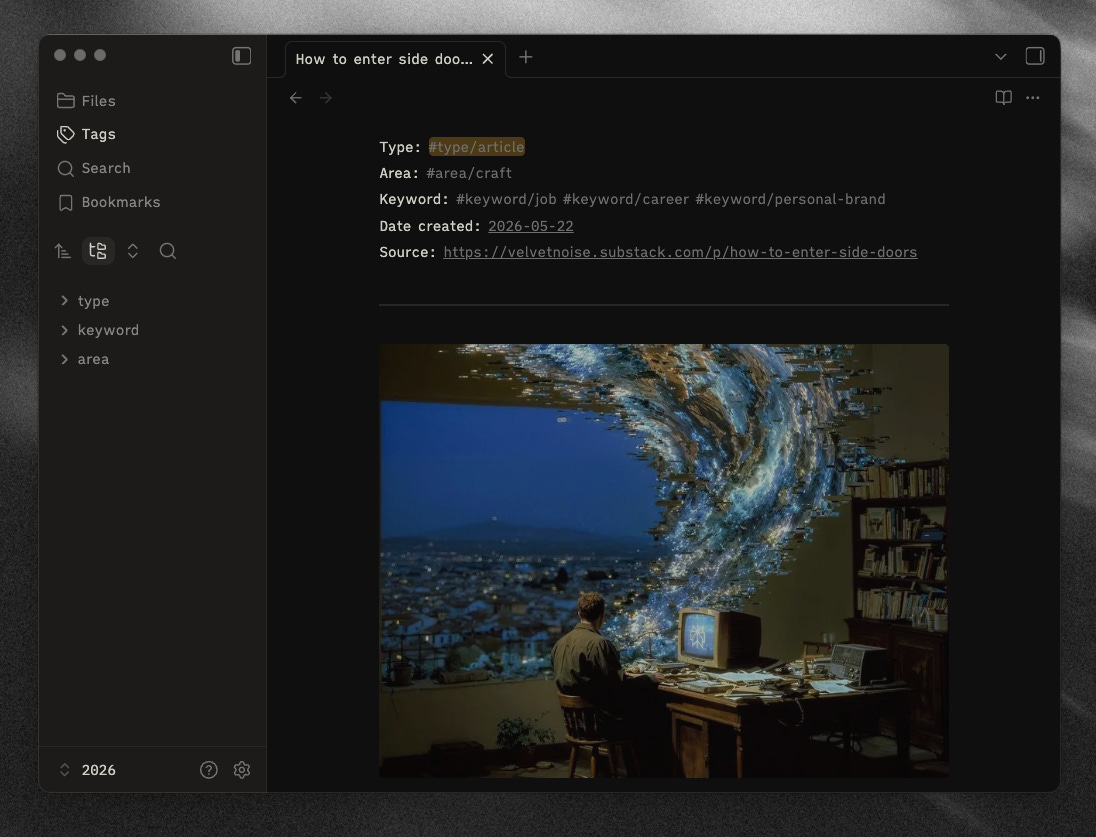
A dense graph is not proof that someone is thinking deeply.
When people shared screenshots of their Obsidian graphs, resembling distant galaxies, I couldn’t help feeling jealous. They must be incredibly productive, I thought.
Early on, I built what was known at the time as a Resonance Calendar, inspired by an Ali Abdaal video. Everything I read, watched or listened to went into my vault. Articles, books, videos and podcasts were automatically added, along with any highlights I took.
It felt wonderfully efficient. Within a couple of months, I had hundreds of notes.
This was not a good thing.
I couldn’t remember much of what had entered my vault. I was collecting information faster than I could process it, and my thinking was becoming worse rather than better.
Now I try to slow down. I read things properly, spend time mulling them over and then write about them in my own words. This means I have far fewer notes, but the notes that remain are much higher quality, and my thinking around those ideas is more developed.
I am also getting into the habit of removing things that no longer serve me and tidying up my vault over time. Every month or so, I spend 30 minutes rereading old notes and pruning what I no longer need. It is a useful ritual in itself, and revisiting old notes often brings forgotten ideas back to the forefront of my mind.
Pruning the digital garden is a useful analogy. The goal is not to grow the biggest garden, but to cultivate one worth returning to.
MAKE IT YOUR OWN
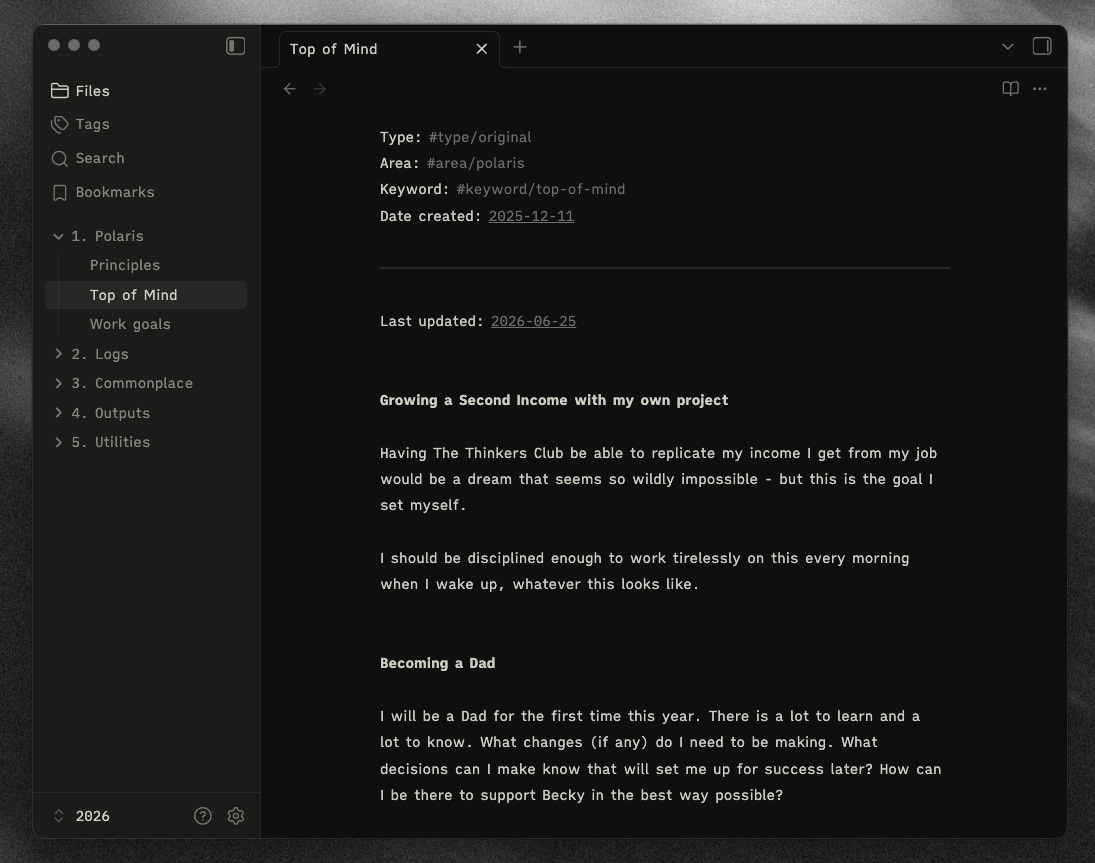
Probably the thing that had the biggest impact on my relationship with Obsidian was taking the time to make it feel like the app I wanted it to be.
Obsidian’s customisability is both a blessing and a curse. You can customise it within an inch of its life, but it is also very easy to spend more time designing the tool than actually using it. Proceed with caution.
Over time, I found a theme I liked, hid the parts of the interface I never used and changed the typeface to make reading more comfortable. These were all fairly small changes, but together they made Obsidian feel like my own personal tool. Every time I opened it, it felt familiar and inviting.
For me, how a digital tool feels is a big part of whether I can use it consistently. A tool can be powerful, but if it feels awkward or unpleasant, I will gradually avoid it. Thoughtful interface design and user experience matter. This is one reason I enjoy tools such as Linear, Raycast and Things. They have clearly been designed with care.
You do not need to customise every part of Obsidian. Just focus on removing the friction that gets in the way of using it, and making it a place you enjoy returning to.


Thanks for reading, friends!
Next week I am going to release a deep dive video and do an up-to-date Obsidian vault tour, going through everything in my vault and how it is currently set up. My intention is to keep video content for paid subscribers moving forward.
If this article resonated with you, and/or you are interested in seeing future videos, subscribing is the best way to support the work and continue reading. I currently have a sale on on yearly subs:
Either way, thanks for spending time here. I hope you’ll join me for the next one! ✌️
Simple, durable habits beat an elaborate vault I admire and never open. Consistency, fewer better notes, and making the system mine is the gap between a setup screenshot and a tool I still use.
As someone who is off and on about note taking, especially in digital world. Obsidian is a good place to start for me, and I always prefer simplicity there. I still not build a habit around it and need to do it. But, it's a great app to start.