


Before I started using tags, my Obsidian usage was very sporadic and I found myself reorganising my vault often and not being consistent with my note-taking habit.
Tags were a great fit for me, as they allow for fantastic discovery of content, a simplistic way of organising the content across the whole of my notes and are well supported by Obsidian. Having a system for note-taking that works, you understand and is simple to follow is key to building a good habit.
In this deep dive, we are going to run through how to use tags as an efficient source of navigation in your vault, and how to set up your own structure for the topics that matter most to you.
✺ TABLE OF CONTENTS ✺
WHY TAGS?
THE TAG PANE & NESTED TAGS
TAGS AS METADATA
MY TAGGING STRUCTURE
TYPE TAG
AREA TAG
KEYWORD TAG
SEED TAG
DEFINING YOUR OWN TAGGING STRUCTURE
WHY TAGS?
Hashtags are a concept we are all familiar with. They adorn the bottom of social media posts, and their purpose is to allow people to reach similar content by categorising. This is exactly how tags are also used in Obsidian.
Obsidian has several different ways of organising your notes in folders, backlinks, properties and tags. Each has their own benefit, and it is not uncommon for people to use all four of them across their vault.
I rely heavily on tags in particular for my main vault navigation for several reasons…
Firstly, tags are incredibly versatile and portable. Most note-taking apps support the use of tags, even some of the simpler more widely used ones like Apple Notes. The idea that I “own” my notes, is one of the ideas that first bought me into Obsidian, and if I ever want to move off of the platform then there should be minimal refactoring needed because most apps will support. Properties and Backlinks are less widely supported in that way.
Secondly, their portability allows me to use the same tags and categories across multiple apps in my digital tool stack. Whether it’s tagging content in my read-later application, or tagging tasks/projects in a to-do app, I like the idea that all of my content despite the app I am using is coherent. This is simply not possible with any other form of navigation.
Thirdly, they are simple yet effective and this is an ethos I like to keep for my note-taking habit. Any process that is complex and requires work is a no no for me, which is one of the main reasons I have avoided Properties/Bases in Obsidian. There is very minimal effort required to upkeep or maintain this tagging system I use, I don’t have to think about it every time I keep a note.
THE TAG PANE & NESTED TAGS
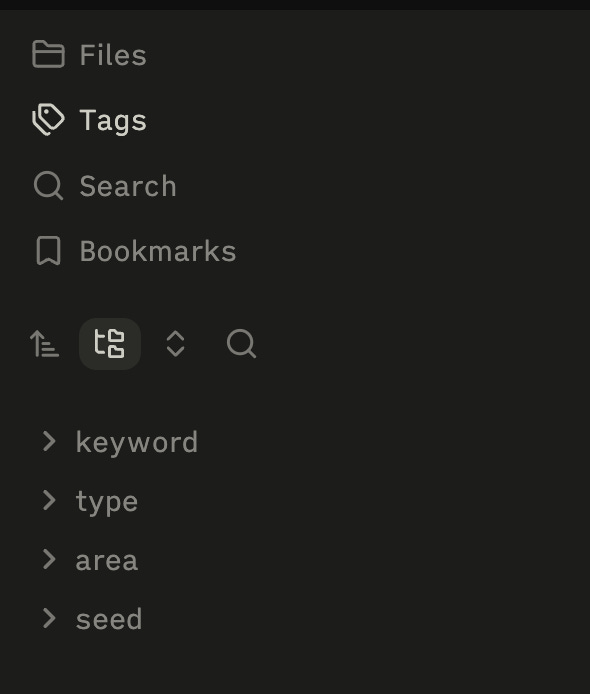
Any Tags that you make in your notes are surfaced in the Tag Pane. You can move this pane around Obsidian and make it viewable where ever you want. There are some simple filtering options here which make it a bit easier to navigate if you have a lot of notes.
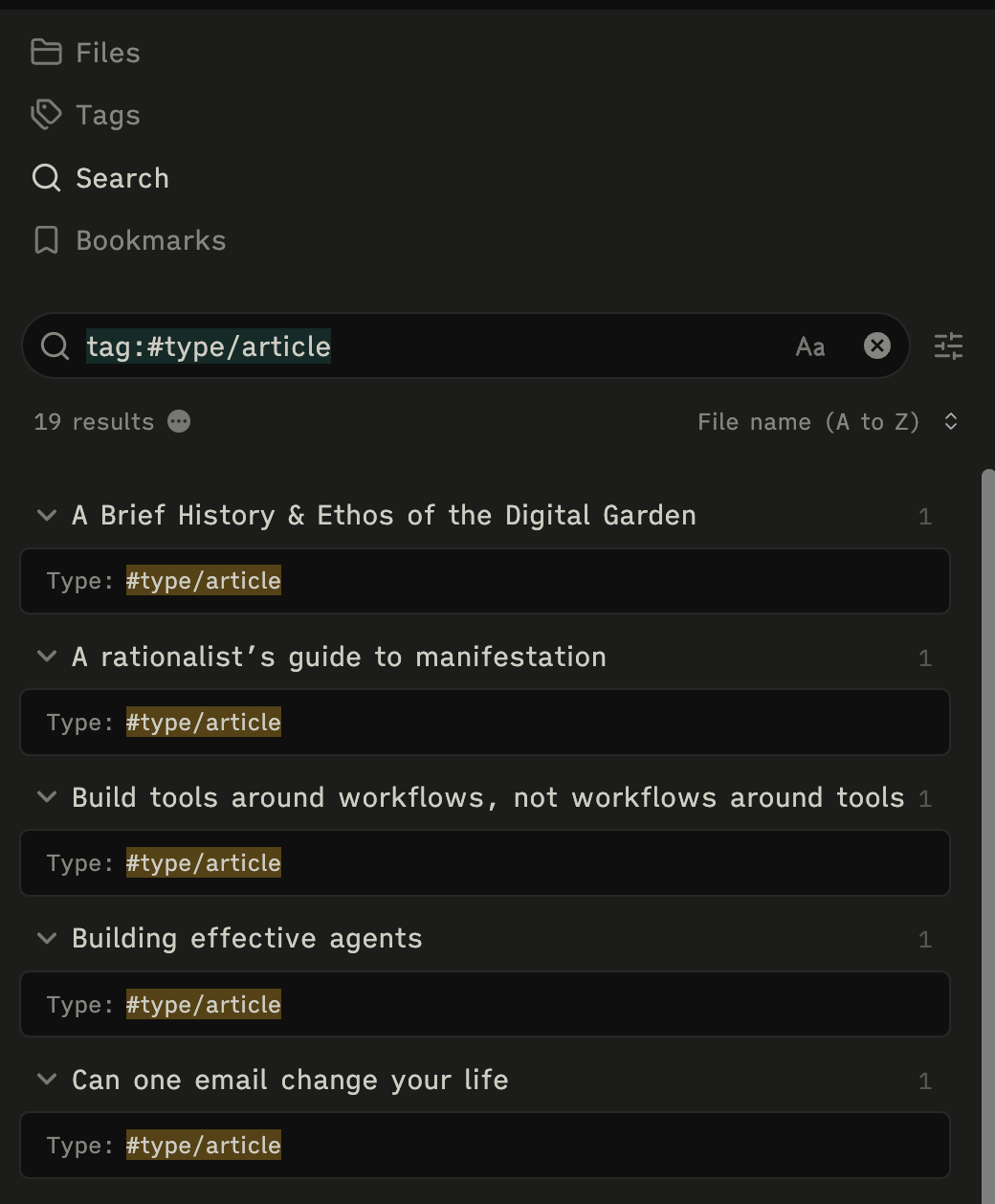
When you click a Tag, it uses the Search functionality to do a query for that particular tag. So in the example above I have clicked the tag #type/article, which is then looked for as a search query. This brings up every note that has that tag within it.
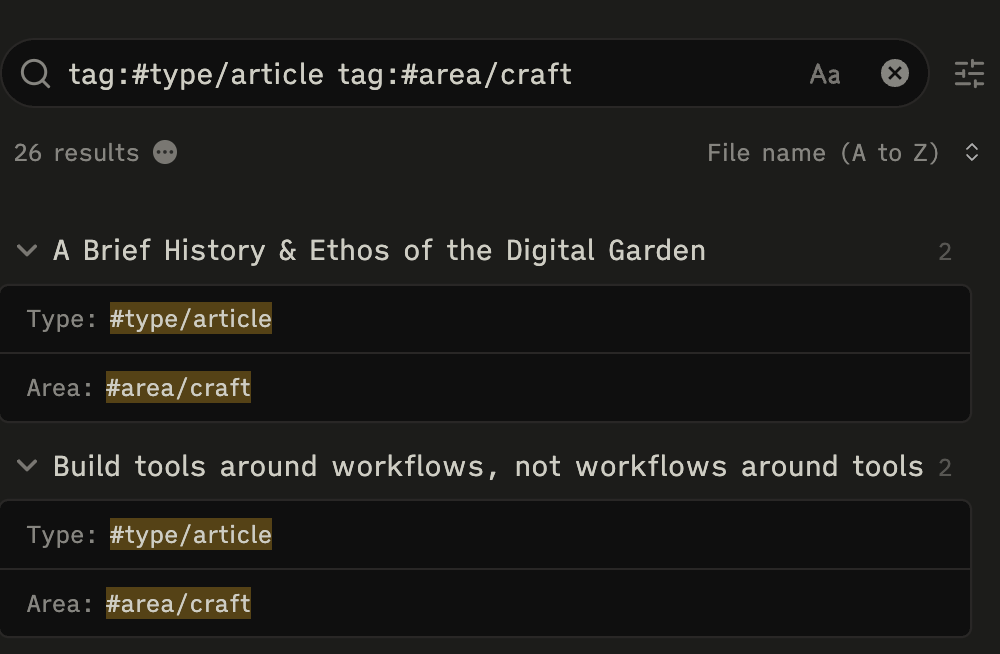
It is also possible to search for multiple Tags at the same time, so in the example above here I have searched for #type/article and #area/craft, which will bring me up all “article notes” that I have categorised as about “craft”.
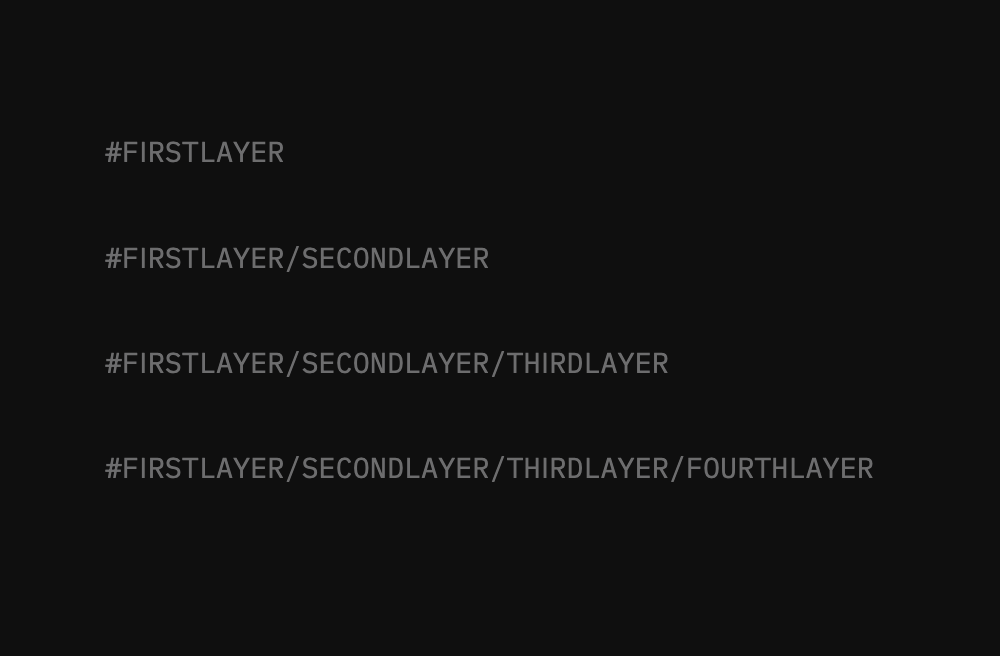
One of the best things about tags in Obsidian is it lets you “nest”, so using tags within tags. This is tough to explain so bear with me guys 😅 In the image above, we see there are four separate tags, each with varying depths.

In the tag pane, this will show up as a tree view, with collapsable layers. This is demonstrated above. Whilst this might seem complex, it is actually incredibly beneficial as it allows us to categorise our tags super efficiently.
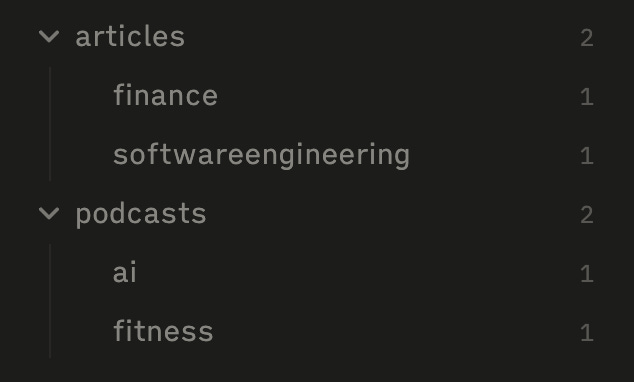
We can see above what this could achieve in that we can split down different notes into categories, so in the example, we have two notes on articles that I have read about different topics, and then the same for podcasts.
Below is a video of me giving you a tour of my Tag Pane, how it can move around Obsidian and diving deeper into what we have discussed above.
Let’s start to break down exactly how they are used in the vault, what each tag does and how they surface ideas.
The rest of this post is for Thinking Club members.

I’m sharing more of the experiments, systems & ideas I’m actively testing in Obsidian. My goal is to help those who think for a living, do the best thinking of their lives.

Paid members get access to these deeper articles, practical walkthroughs, and my video content.

For a limited time, the first 250 paid members can join for £4/month instead of £9/month — and you’ll keep that price for as long as you remain subscribed.