


Substack has long been my favourite place to consume written content. 80% of long form content I read these days comes from my Substack feed and subscribers list. I have been on the platform since 2020, and over the years it has become easier than ever to discover new writers and content.
But it has also become easier than ever to glaze through articles and not take anything in. The choice of good content is so vast, it’s become easier than ever to fall into the trap of feeling overwhelmed and not reading anything at all, or skim reading articles that look interesting without taking anything in.
Long before joining the platform, I have been taking notes on the majority of what I read. These notes become important food for my own creativity - whether that is using thoughts to form my own articles, learning new concepts & subjects or using ideas to driving change in my day job.
The lessons I have learned through these notes have helped me get promoted at work, enabled me to be a better husband and father and allowed me to start writing my own content. Maybe it sounds cliche, but there is life-changing material here, you just need to know how to digest it and use it efficiently.
This article is focused on two practical parts:
Lesson One: How to build a reading list of content you find on Substack so you can consume intentionally.
Lesson Two: How to annotate articles and gather notes in Obsidian to grow a collection of ideas, thoughts, concepts for your own creative inspiration. I refer to this as my “commonplace”.
I am going to use an example of an essay I have read recently, and run through the entire process from start to finish. This will be super practical and actionable for anyone that wants to improve their own reading with Substack or articles in general.
Lets go!
I am currently running a sale on paid subs to The Thinkers Club!
My goal is to help those who think for a living, do the best thinking of their lives.
Paid members get access to deeper articles, practical walkthroughs, and video tutorials. These are released every other week.
The sale runs until there are 100 paid members!
Join for £4/month instead of £9/month — and you’ll keep that price for as long as you remain subscribed.
Building a Reading List
I avoid reading articles when browsing through the Substack feed. I find that my headspace when scrolling is not the best for concentrating on a longer form read, and rather I will schedule some specific time to read content away from any distractions.
I save any articles that look interesting to me, and that I will potentially want to come back to later in my “To Read” list.
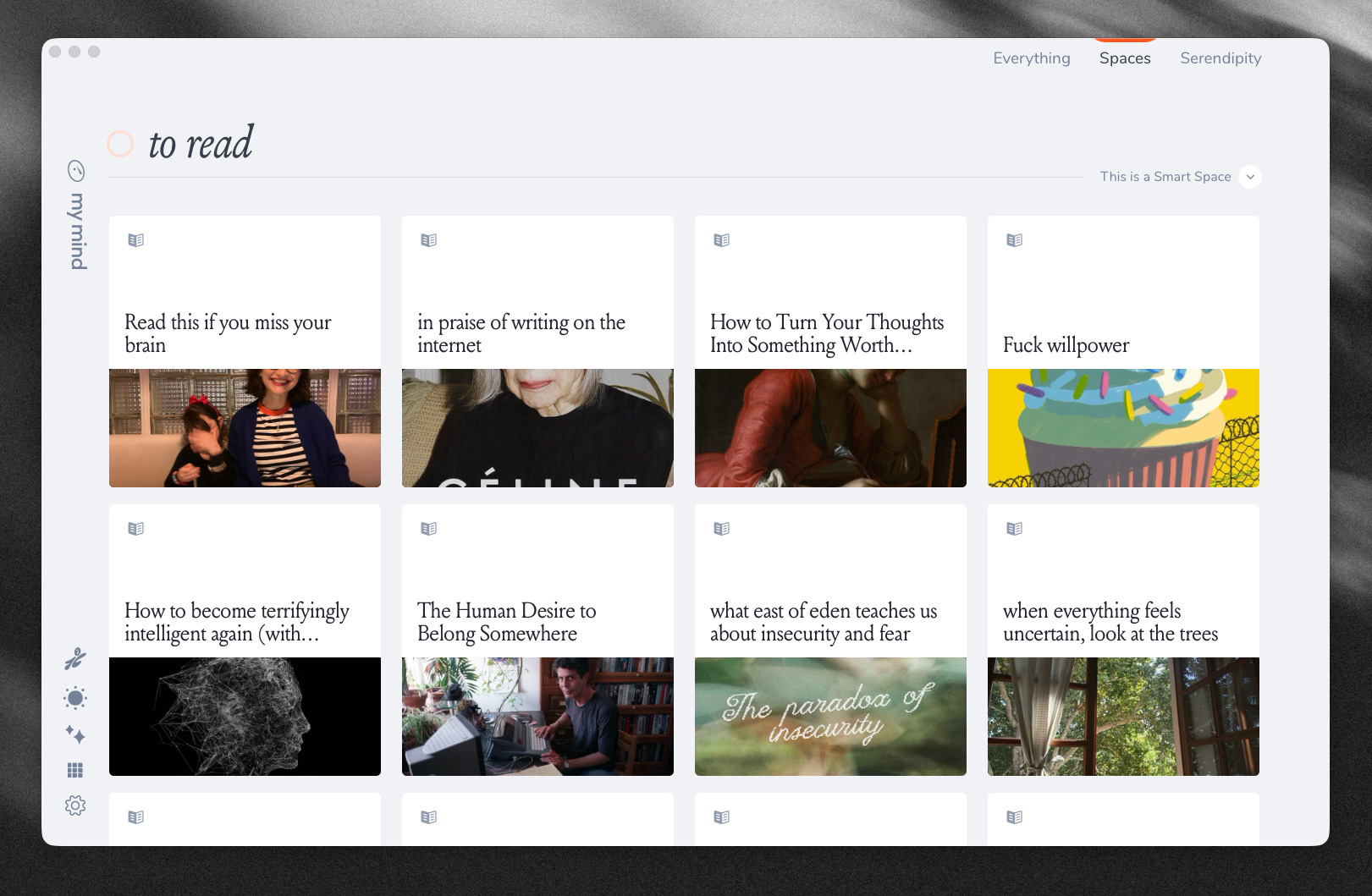
This list is a dedicated space in MyMind, where every article is saved so that I can revisit when I feel I have the space to read and properly digest the words.
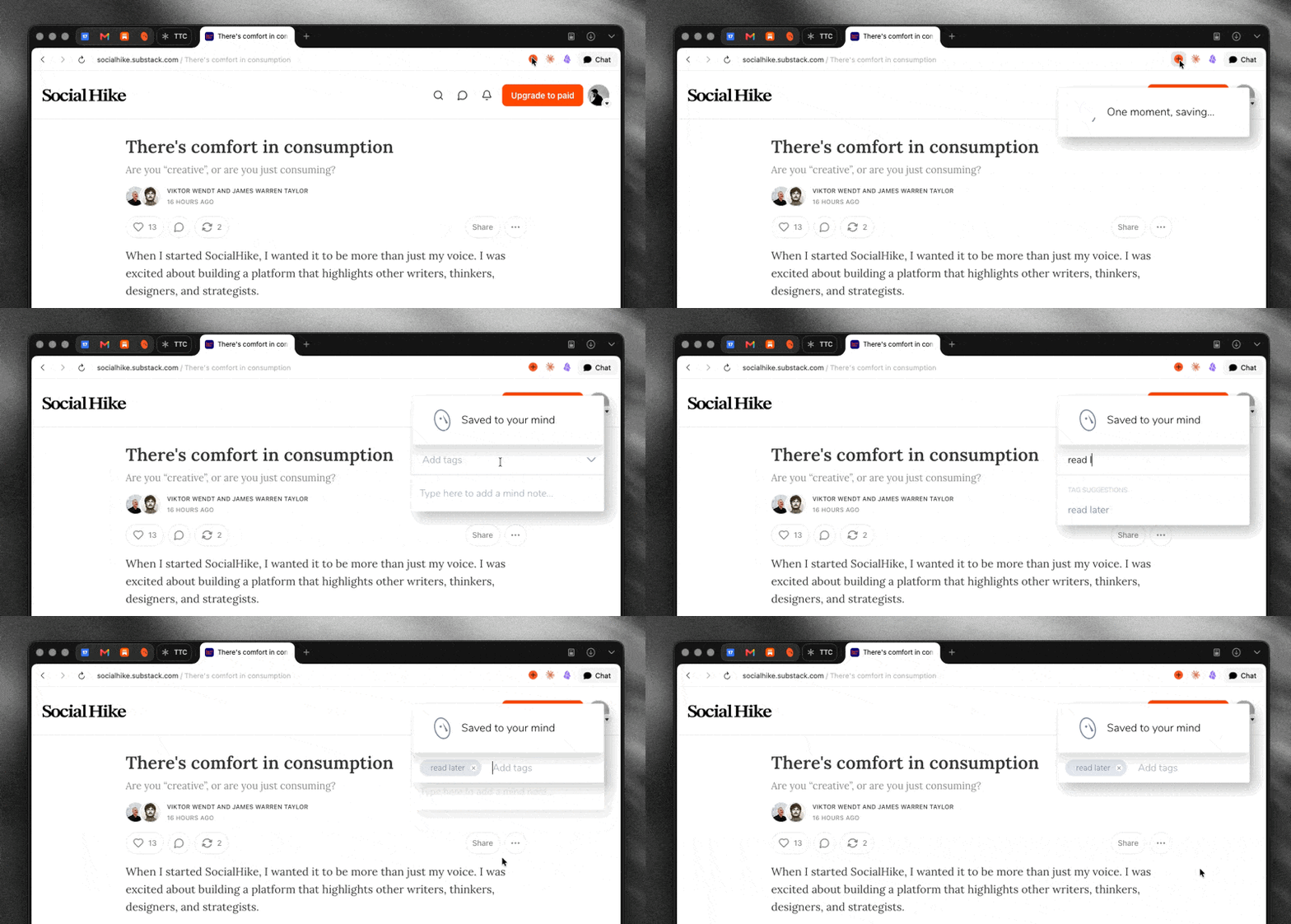
This process is pretty simple, as I have set up a dedicated “smart space” on MyMind, where if anything is saved with the tag “read later” it will automatically drop within that space. This provides me with a beautiful back catalogue of articles to read.
I don’t read everything that drops in here.. It can be seen as a triage of sorts. Routinely I will get rid of articles I have saved that I know realistically I am never going to get to, or that just didn’t resonate with me as they did when I first took a look.
As mentioned in my doomscrolling article, I aim to consume one/two pieces of long-form content per day and take my time with them, taking notes and annotating as I go.
There are many tools that offer methods of keeping reading lists, but I have found MyMind works incredibly well for this as a use case. Having one place & tool to save everything, whether it be articles/videos/images/websites etc etc that inspire me is super valuable.
How I Annotate Articles in Obsidian
There is a tonne of content online about how to annotate books, and I think its a shame we don’t treat articles with the same respect.
Firstly, it’s worth saying that I am not a fan of any of the tools that help make automatic highlights and export to your app of choice (looking at you Readwise Reader). This completely removes the point for me and I like the friction of having to copy a note by hand.
Step One - Reading and highlighting
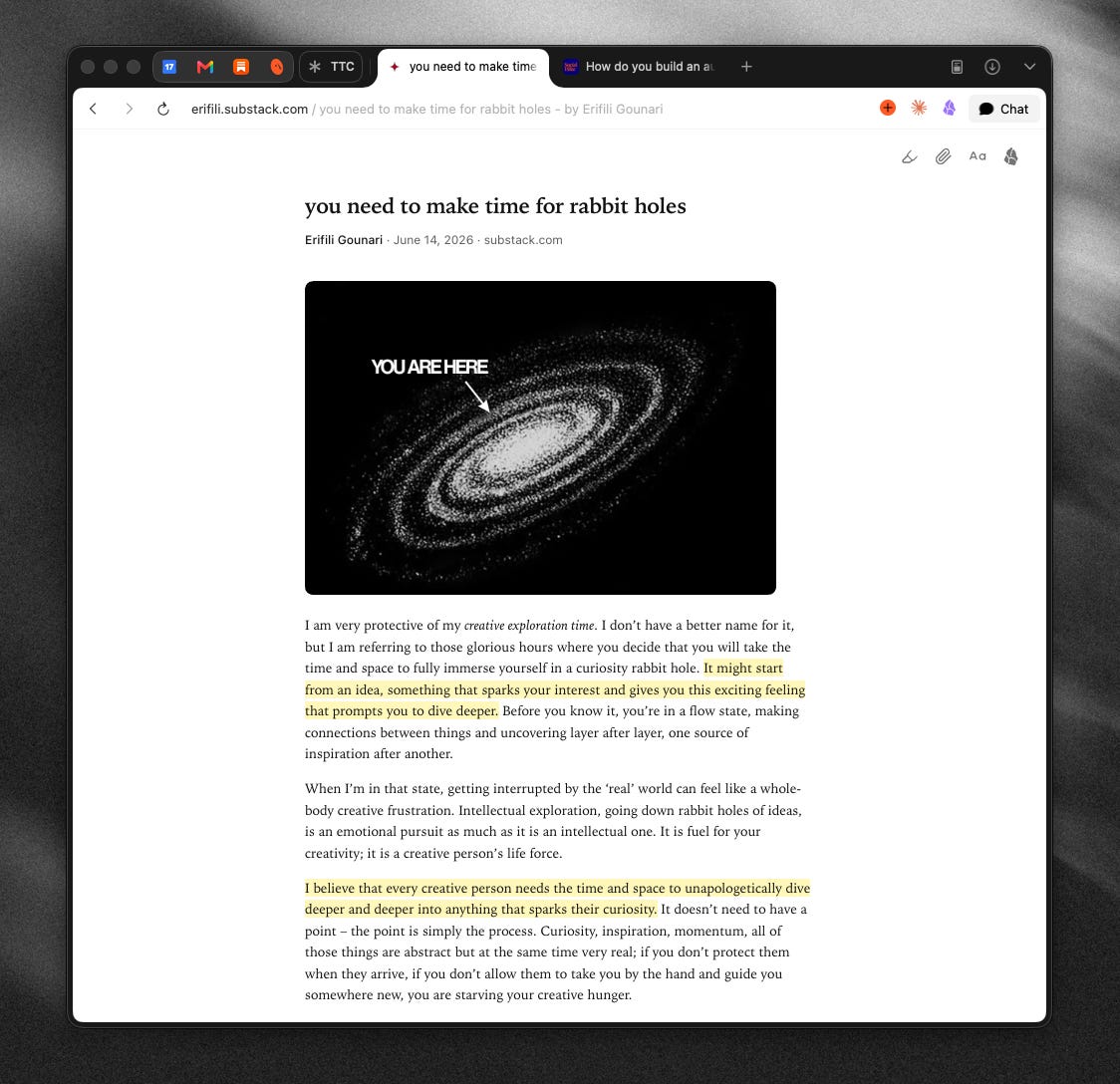
I read the article from start to finish without taking notes. Anything I want to revisit or that sticks in my mind, I will highlight.
For reading and highlighting I use Obsidian Web Clipper. This is a handy browser extension that improves the reading experience of Substack (in my humble opinion). Whilst designed for capturing markdown, it also has a reading mode that removes all of the cruft of the website you are on, and just shows you your article in it’s simplest form with images and writing.
The highlights you take will persist when you leave the page - so if you don’t finish taking notes on the article, they will still be there when you get back.
Step Two - Creating a new note in Obsidian
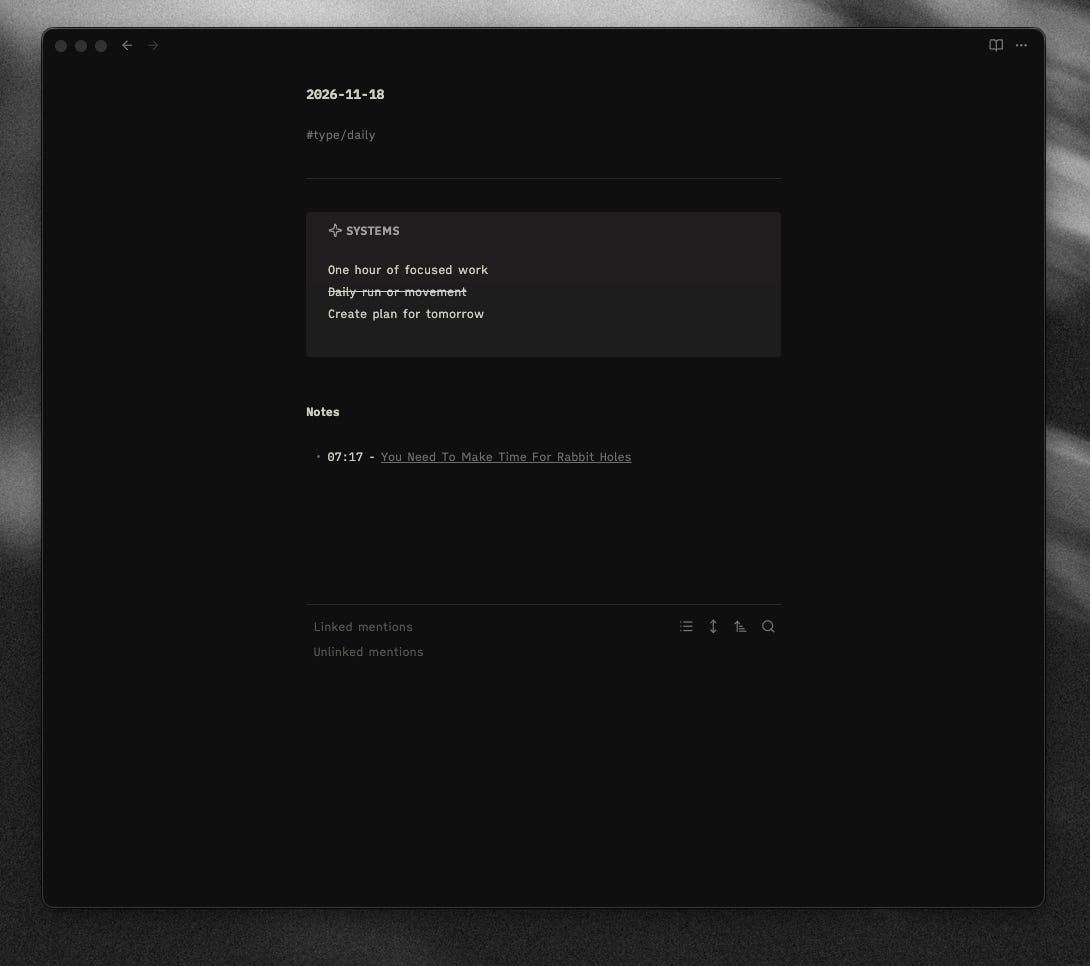
When I start reading an article, I will create a note within the Daily Note. I did a deep dive on my process here, but this gives context for the time and day that I read the article.
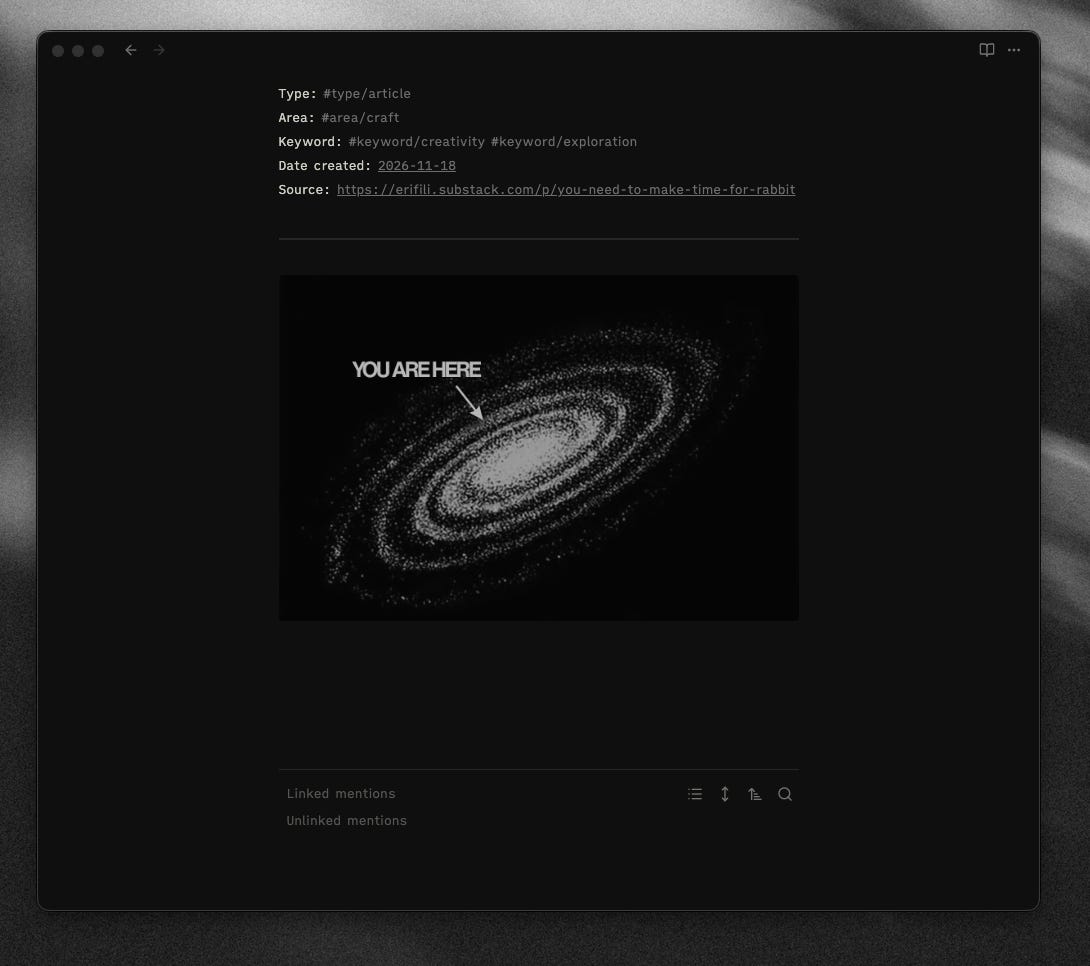
My notes for any articles takes the following structure, and if there are every any images associated with the essay I include these too as I am very much a visual thinker and often remember articles or videos from their images and thumbnails.
I use Obsidian tags for re-discoverability (deep dive here) and my format is as follows:
Type: #type/article
Area: #area/craft
Keyword: #keyword/creativity #keyword/exploration
Date created: [[2026-11-18]]
Source: https://erifili.substack.com/p/you-need-to-make-time-for-rabbit
Step Three: Annotating
Ok, now time to make some notes. Let’s walk through it together.
You need to make time for rabbit holes.
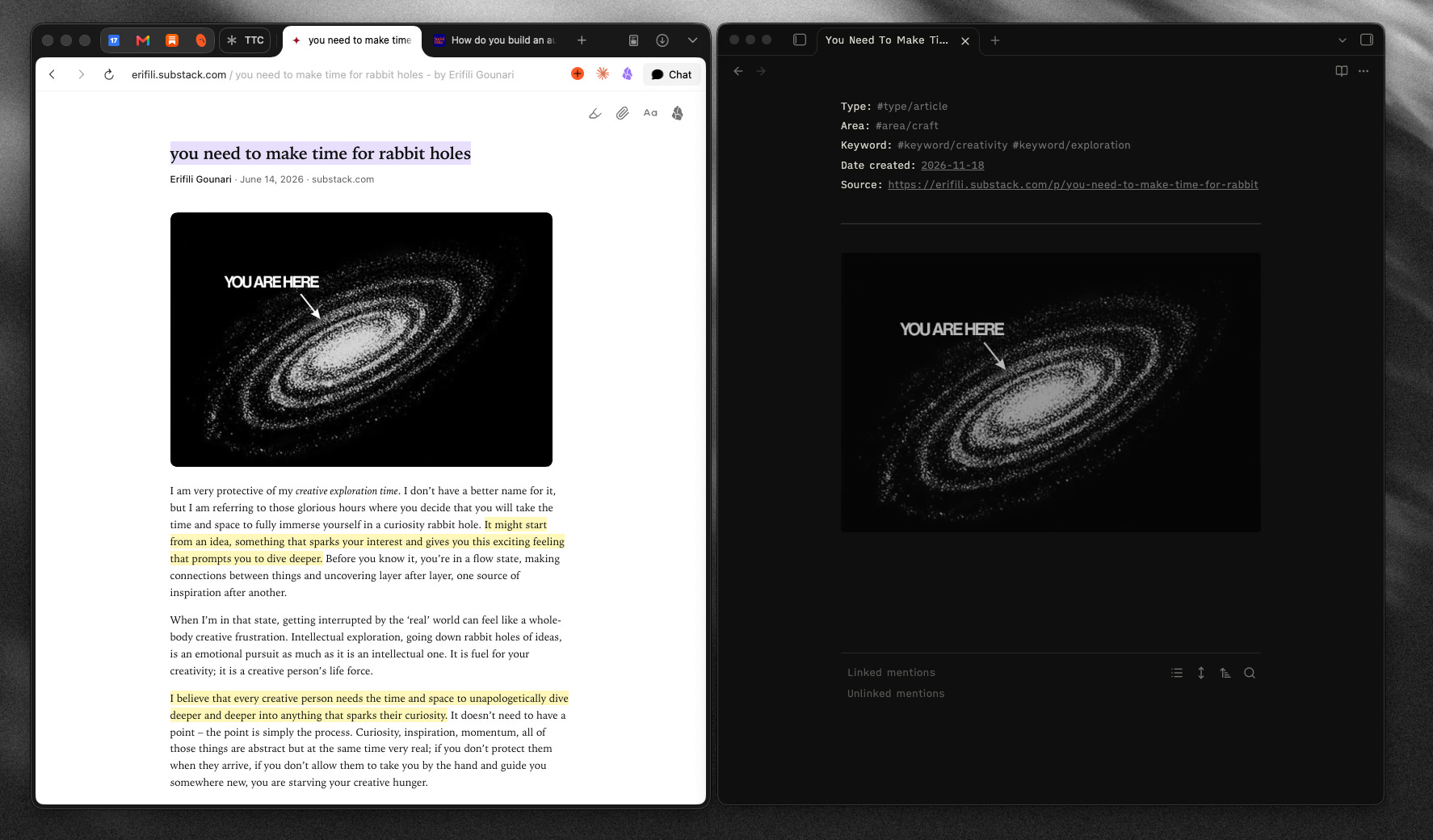
I summarise the article in a few sentences or a paragraph. This is beneficial to ensure your understanding of what you have read is concrete, but also I find this useful when revisiting content to know exactly what the topics are before diving into the notes.
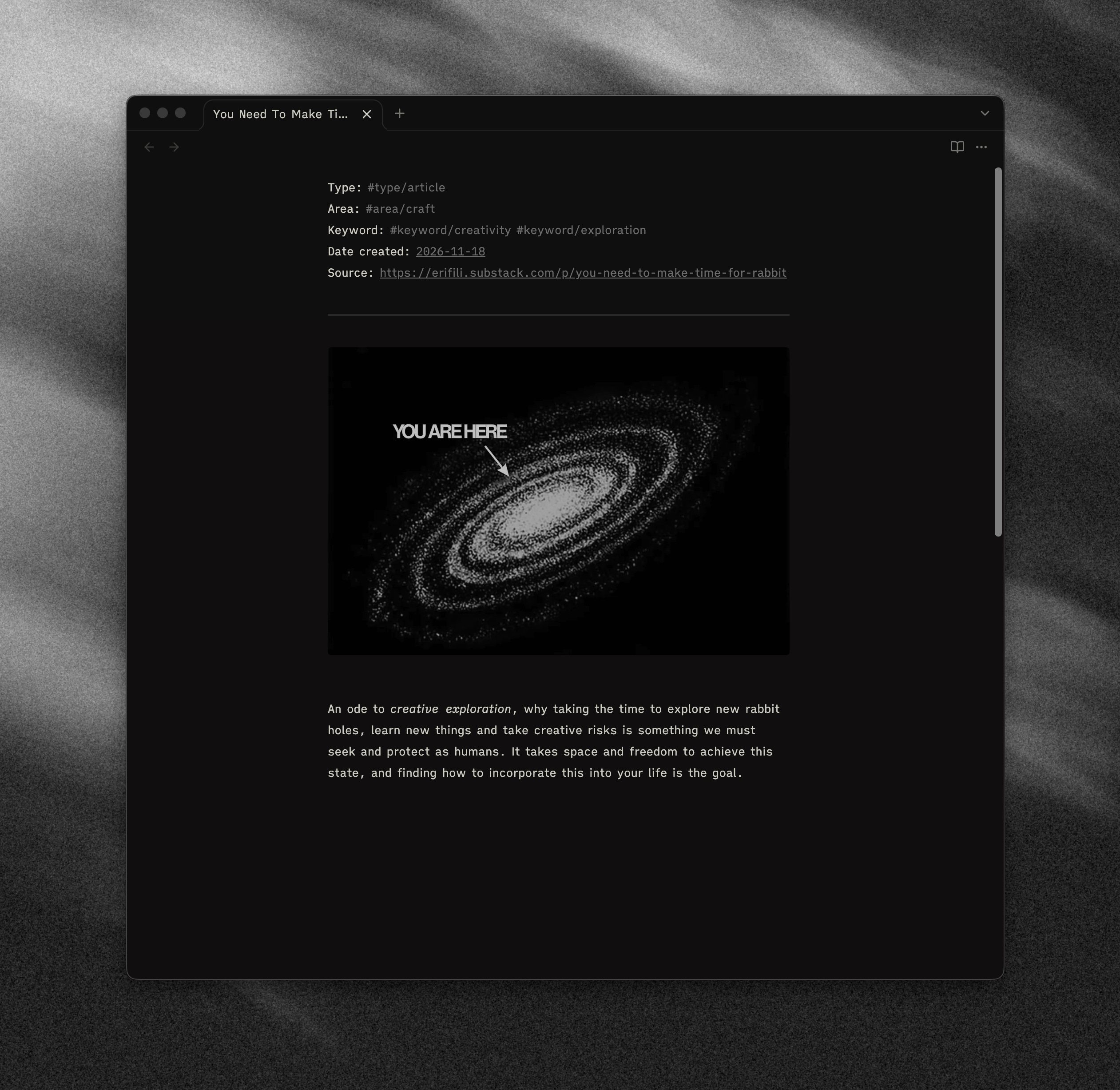
Above is an example of the type of summary I will write. It doesn’t have to be anything special.. It should be seen as a breadcrumb you are leaving your later self for when and if you ever come back to this note.
The rest of the note-taking session, I tend to break down into three separate sections:
Highlights
Highlights is the process of doing through the article and copying across any of the parts you marked. It’s important to be conscious, I believe, to not highlight too much - be intentional with what you are saving.
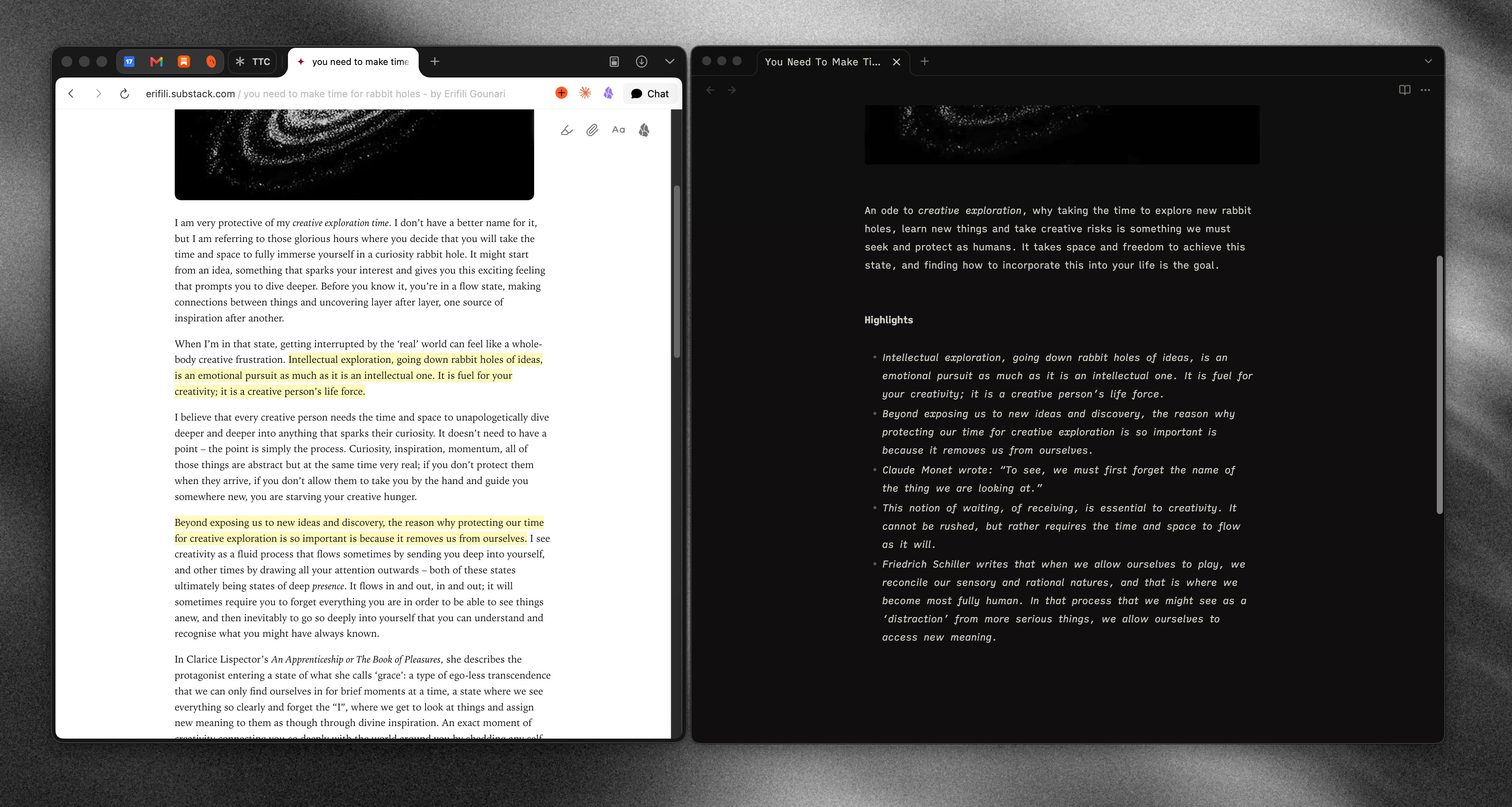
In this example, for instance, there are a few quotes included. Whilst tempting to bring them all across, I chose a couple that resonated with me the most.
My Notes
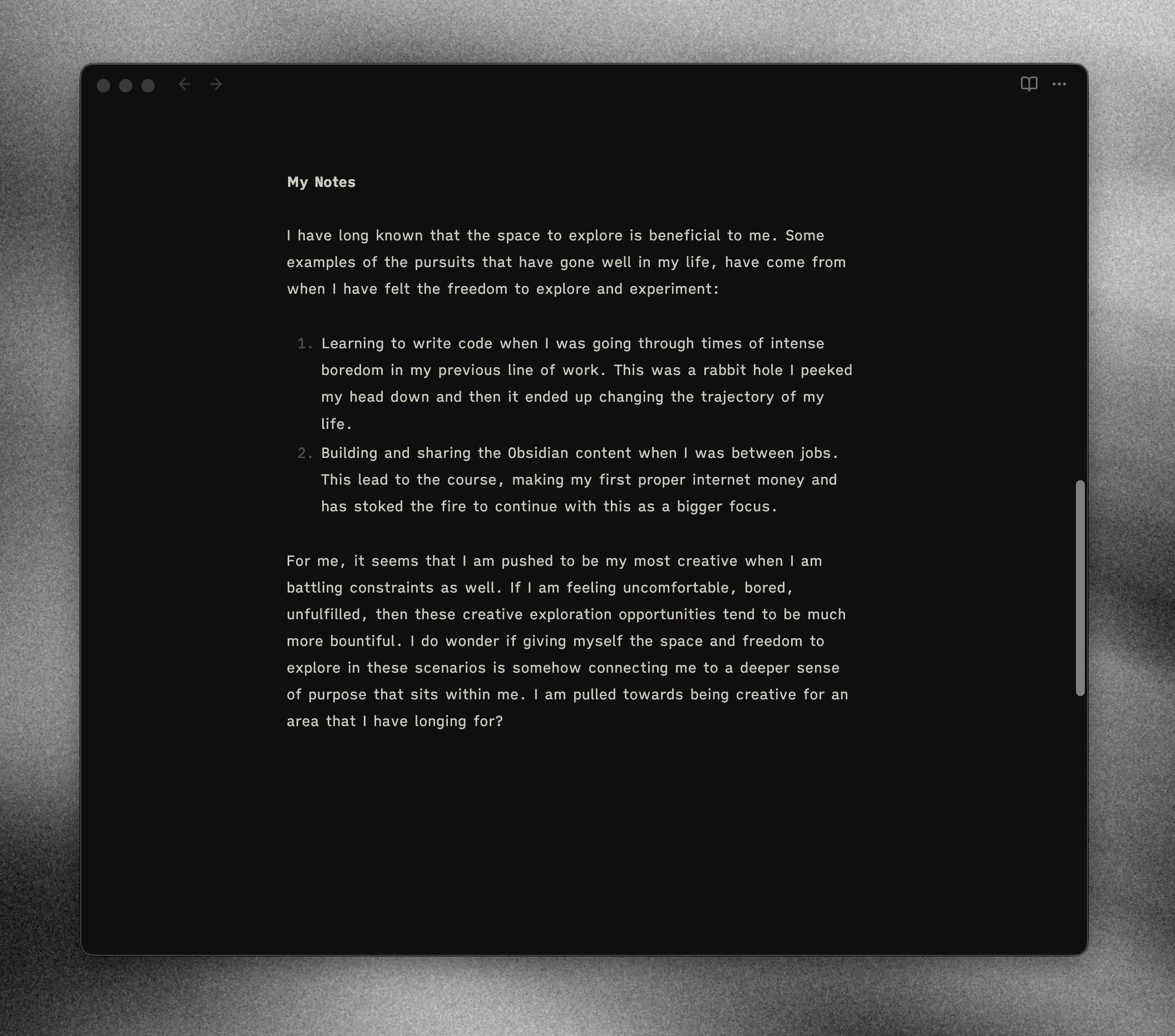
This is the area where I pull the article apart and try and get an understanding of what I have taken from reading this content.
You can see the example above, that I have written a few paragraphs, and that was enough for me right now. At times, I will revisit and recontribute to these notes, but not always.
I found some interesting connections between my own personal experiences and what I took from this article, and that is exactly the type of thing I am after when annotating and writing notes on what I am reading. It is about taking someone elses writing, and exploring how it impacts your own life, existence and thinking.
This article was quite abstract, yet for something much more practical and informative I would do exactly the same. I have been reading a lot recently on how AI transforms work for software teams, and for me the goal here is to extract any lessons and find ways I can implement this with my own teams.
I am looking to answer: What did I learn? How can I implement this into my own life?
Why did this resonate?
I have a short section at the end of the note to capture why this resonated for me at the moment of reading. Perhaps there was a reason I was inclined to read this piece at this given time? Maybe there was a lesson I took from it that was particularly pertinent at this given time.
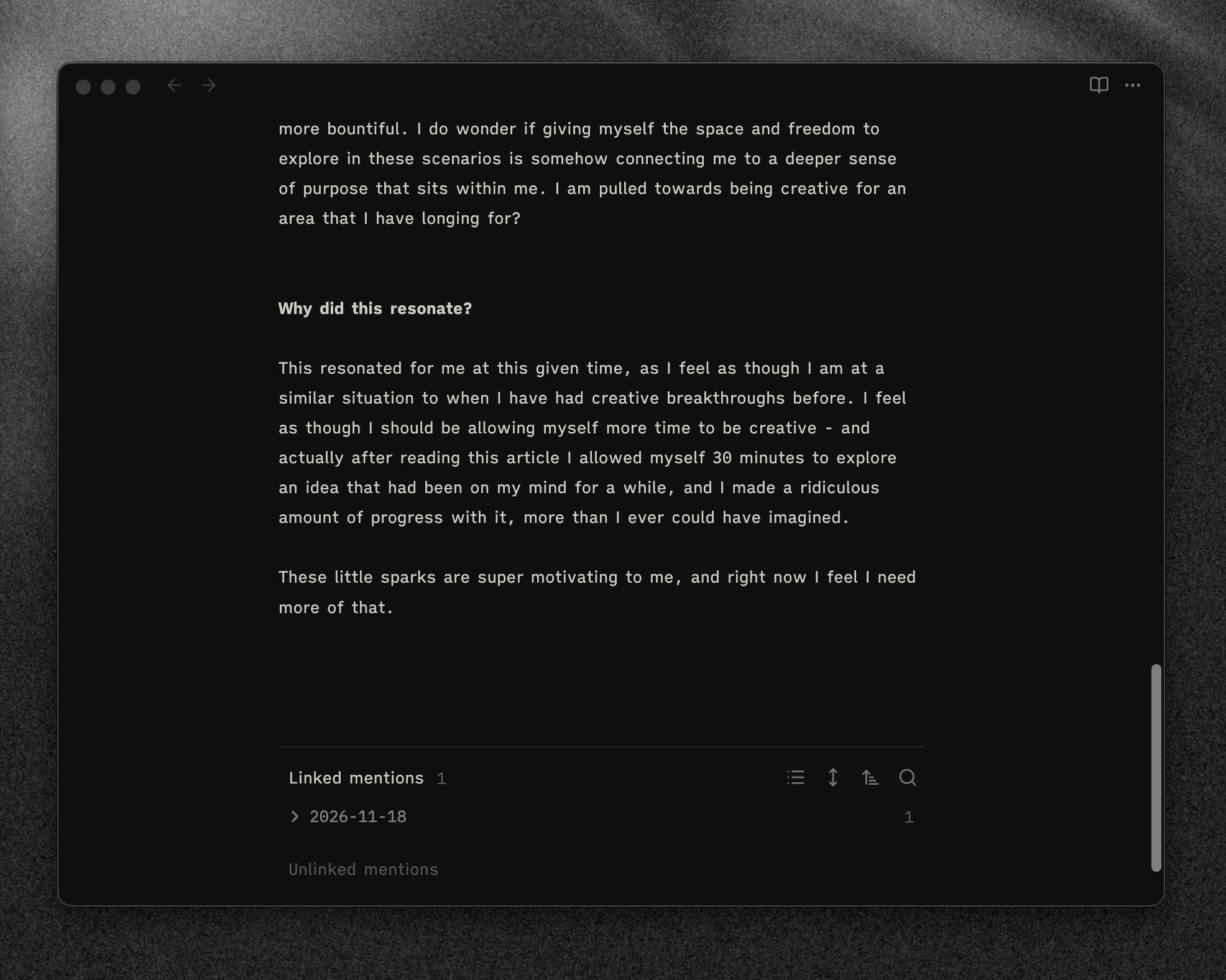
Really the goal of this is to provide myself with context. Where was my mind at when I read this the first time? Being able to see this change over time is quite a beautiful thing - I have some early notes in my vault when I was learning concepts that are now second nature to me, or that I have made notes on when I was going through tough times and not feeling the best.
Seeing that own personal growth is and intellectual and emotional change over time has been a life-changing practice for me.
Next week, I am going to continue this thread and walk through how I connect these notes together via links to build a knowledge graph, and build upon the ideas to form my own writing.
This will be accessible to paid subscribers, so if you haven’t already do consider joining “The Club”. I am currently running a sale until we get to 100 members, and if you join you lock in that price even when it goes back up.