


Recently, I have been experimenting with building agent-kept knowledge bases. These are notes that an agent will make and organise by itself over time, to provide the user with a searchable and traversable wiki.
We are seeing this work incredible well at work, where agents will build out a detailed picture of technical architecture, as well as any decisions/technical progress. But also, I have gotten an agent to keep me an Obsidian vault of all of the resources that I have read/consumed.
It’s taken a little while to get here though!
On the first iteration of using Claude with my Obsidian vault, I had it writing directly into the vault. This very quickly felt like something I didn’t want to happen.
Firstly, it became hard to tell which notes were written by myself, and which were created or edited by an agent. For me, this is an important distinction to make - my goal with using a LLM in this way is to help my thinking, not take over it.
Secondly, the amount of notes I was able to add made traversing my vault pretty hard. Adding every Granola transcript I have ever collected (500+) or bringing in all of the markdown transcripts of Lenny’s podcast, was an interesting proposition to be able to use as reference material. Not very fun to navigate manually!!
Having a separation of concerns, and keeping a second vault which was to be used only by agents seemed like a sensible choice to explore.
On reading Karparthy’s notes on “LLM Wiki’s”, it seemed to tick all of boxes I wanted to achieve, and supported the idea of having a separation between human and LLM-generated content.
“the LLM incrementally builds and maintains a persistent wiki— a structured, interlinked collection of markdown files that sits between you and the raw sources. When you add a new source, the LLM doesn’t just index it for later retrieval. It reads it, extracts the key information, and integrates it into the existing wiki — updating entity pages, revising topic summaries, noting where new data contradicts old claims, strengthening or challenging the evolving synthesis. The knowledge is compiled once and then kept current, not re-derived on every query.”
The main benefit I have found, is the volume of content which you can feed it, and how well it does to find themes/patterns/structures and to present them.
If I read five articles in a day - generally I will pick one or two to write some notes on that have resonated with me the most, or I have found the most interesting. The rest might be useful context at some point, but are not useful to me now.
With an LLM-only vault, I would drop all of the articles in, and it would extract all of the useful context, and structure it in a way that it is easy for me to come back to later.
It doesn’t replace the flow I have currently of reading and making my own notes, it compliments it and works along side it.
The Structure of the Vault
Kaparthy’s structure is pretty simple:
/raw : this is where you add your original sources - documents, articles, X threads, videos etc etc.
/wiki : a directory of LLM-generated markdown files. Summaries, entity pages, concept pages, comparisons, an overview, a synthesis. The LLM owns this layer entirely.
/schema : the inner workings of the vault. CLAUDE.md or AGENTS.md that focuses on structure, what the vault conventions are and any workflows to follow.
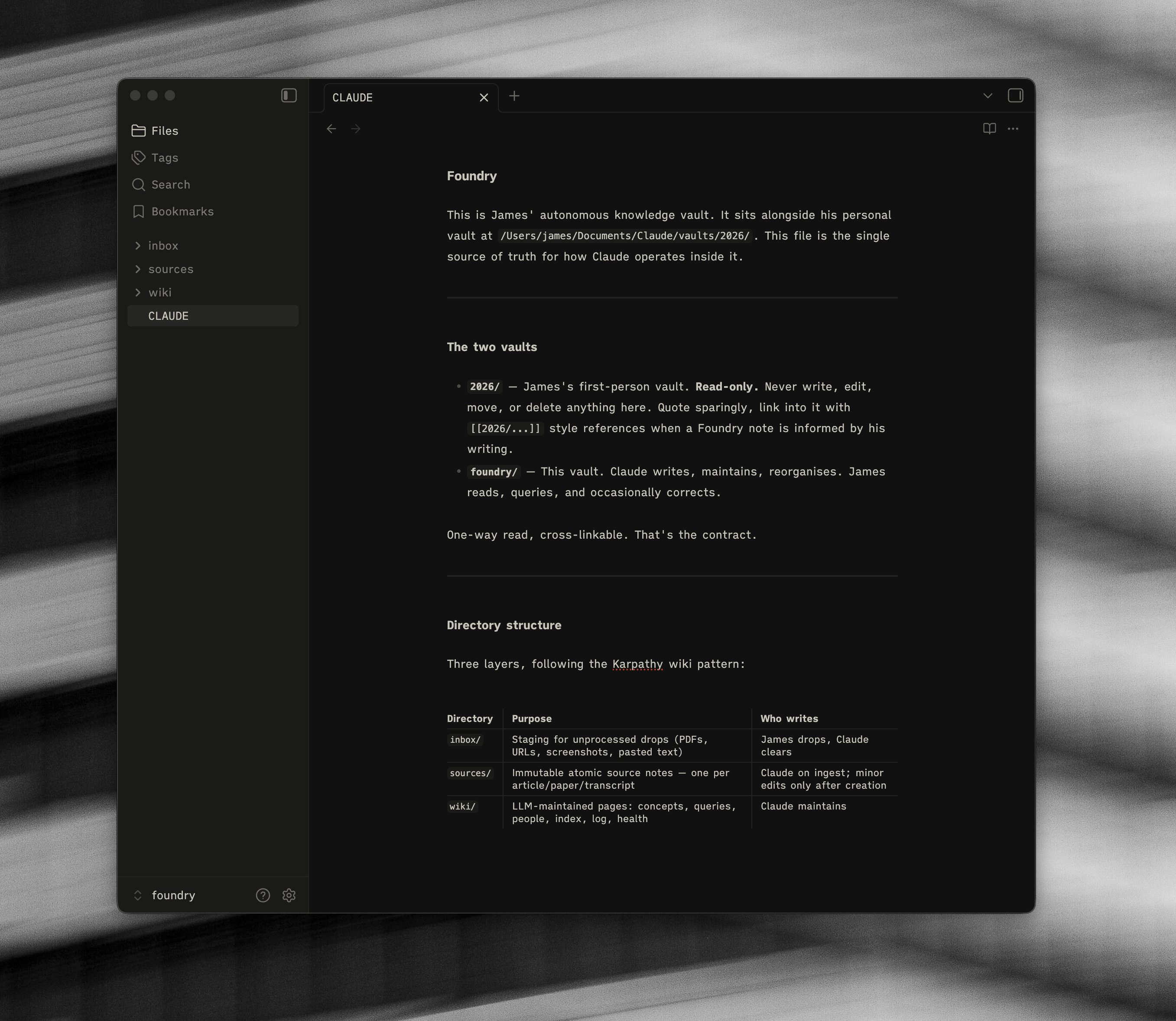
I took this structure and ran with it. I named my agent-only vault “Foundry” - the idea being that stuff gets poured in raw and comes out the other side as something more useful.
Here is the actual folder structure:
foundry/
├── CLAUDE.md       — the schema
├── inbox/          — raw drops: PDFs, URLs, pasted text
├── sources/        — atomic source notes, one per item
└── wiki/           — concepts, people, queries, index, log
The flow is simple. I drop things into inbox. Claude reads them and writes atomic source notes into /sources. When there are enough sources on a single theme, Claude compiles a concept page into /wiki.
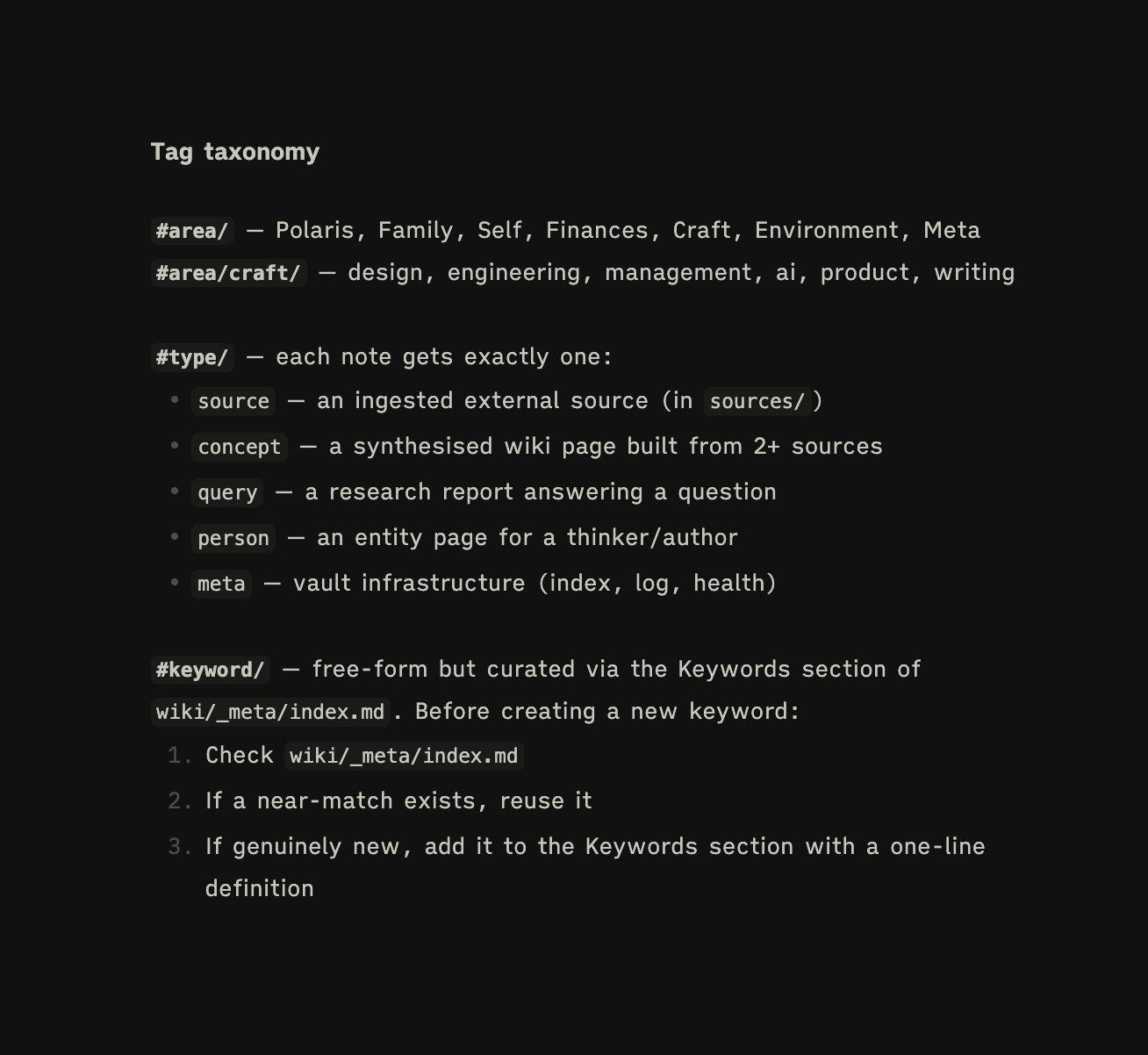
One decision I am glad I made is that I kept the front-matter in Foundry consistent with my personal vault. Same tag taxonomy, same date format, same #type/, #area/, #keyword/ conventions. It meant I could cross-link between the two without the stitching feeling ugly.
The thing that makes this all hold together is the CLAUDE.md or AGENT.md file. It is the file that tells your agent what this vault is for and what it can and can’t do. Things like:
my personal vault is read-only - never write to it
every concept must cite its sources
don’t spin a concept page out of a single source, wait for two
no emojis, no TODO comments, no speculative helper files
Writing this file is probably the most important thing you do when setting up a vault like this, and working with any agent, because this is how they follow along and know what to do. It is the thing that stops the agent from doing agent things - sprawling, inventing, helpfully rearranging your folders. It can be updated on the fly depending on your preferences as you go along.
The Skills
As per Kaparthys original document, he suggests four skills to help with the processing. Each one has one job to do.
/foundry-ingest — processes whatever I have dropped into the inbox. Reads each source, writes a clean atomic note with a summary, key points, and a short “Claude’s notes” paragraph (what is interesting, where it connects, what it contradicts). Updates the index, appends to the log, clears the inbox.
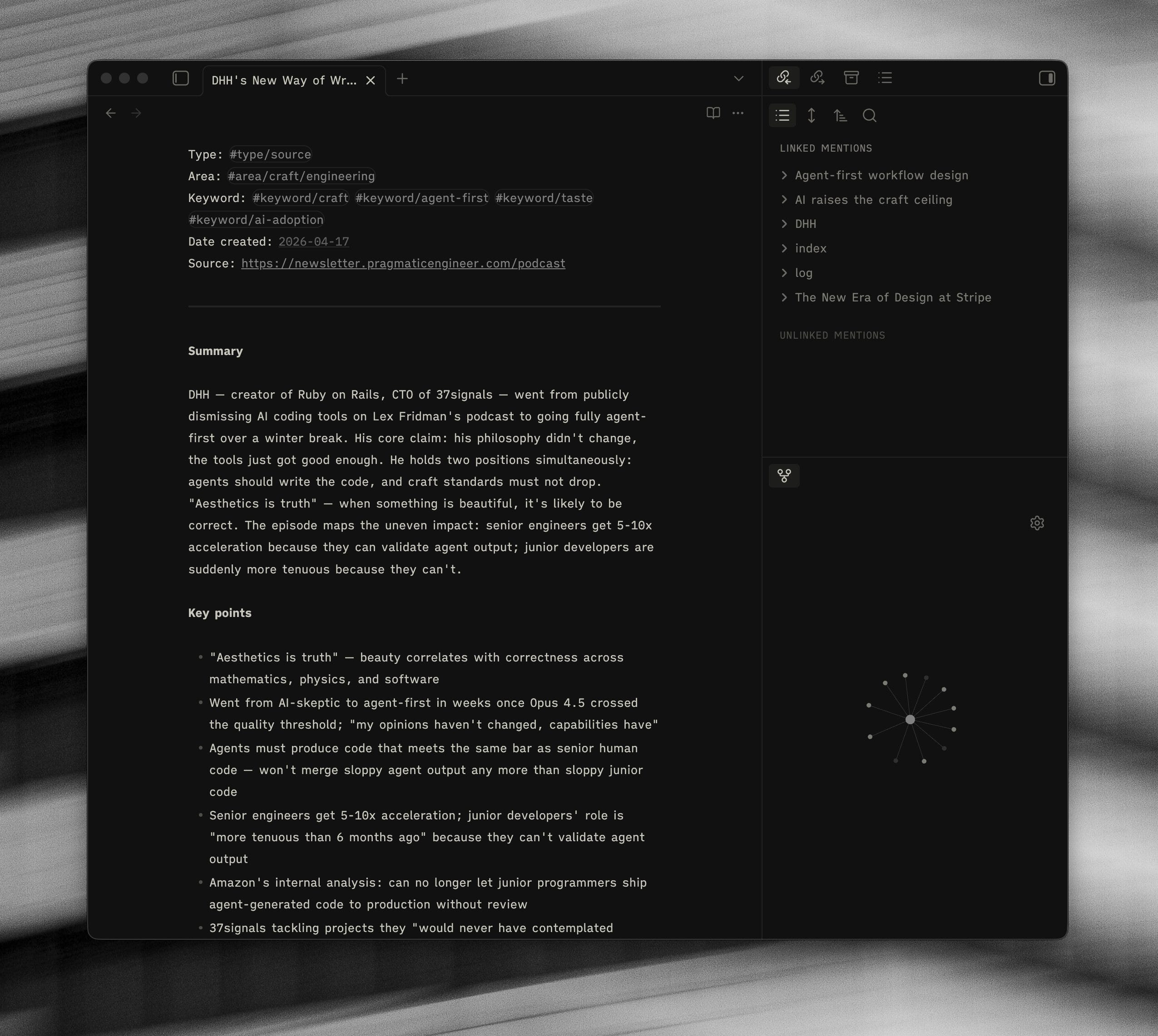
/foundry-compile — scans the sources folder for themes that have at least two sources behind them. Either extends an existing concept page, or spins out a new one. Themes with only a single source get logged as Candidates and have to wait for more evidence. If you are old-school “tools for thought” like myself, this is essentially something that looks over your “seedlings” and seeks to create “evergreens”.
/foundry-ask — answers a question across both vaults. Writes the answer into a dated query file in /wiki. Every claim cites the source. Gaps get captured as Open Questions. Anything essay-shaped ends up as a “Prompt for 2026.”
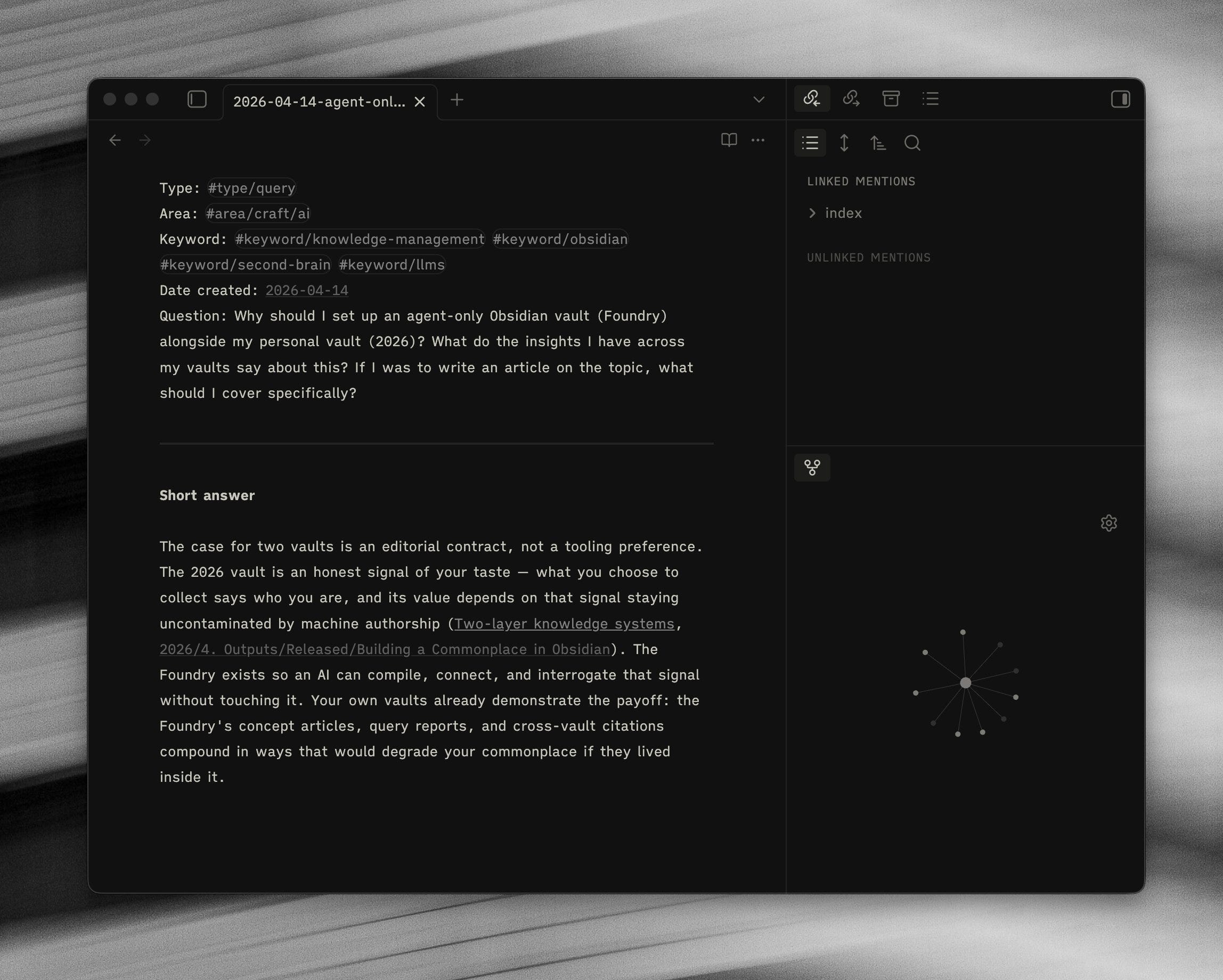
/foundry-lint — a health check. Counts orphans, finds dangling links, flags candidates that now have enough sources to compile, spots keyword drift.
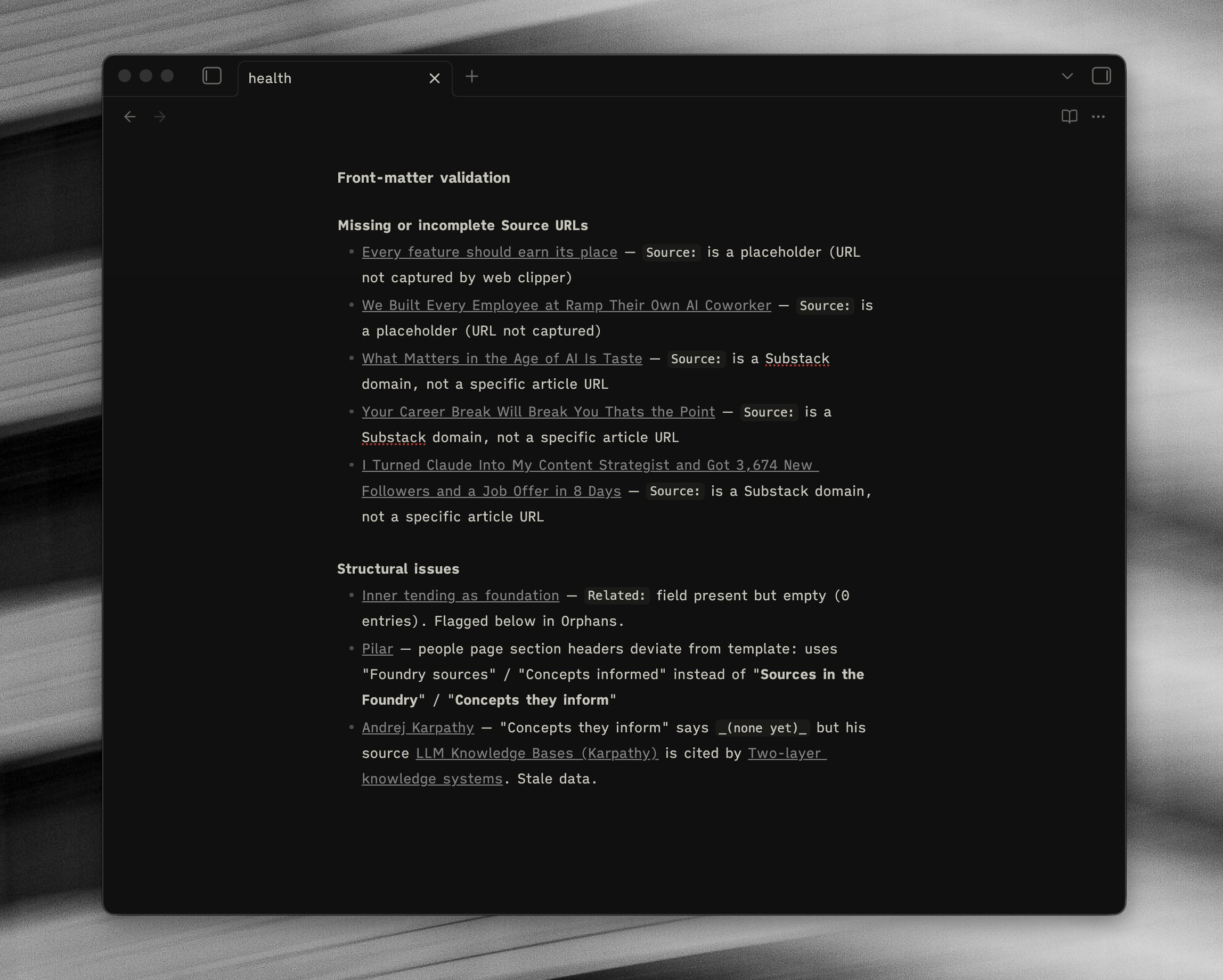
The pattern that makes this work is that each skill does one thing, has a clear output, and has a list of things it will not do. If you give an agent a vague brief across a folder full of your notes, you end up with a mess. If you give it a narrow job with explicit boundaries, it does the job well.
How it works in Practice
Most of the time, Foundry is a background process. I read something, I drop it in the inbox, I move on. You can find a video at the bottom of this page of my running through the process from start to finish.
A typical day looks something like this:
I read a couple of articles in the morning. I share it to the inbox.
I listen to a podcast. I drop the transcript in.
I come across something that sticks in a book. I paste it into a markdown file and drop it in.
By the end of the day there might be between five or ten items in the inbox. I run /foundry-ingest. Claude processes every item into a clean source note, cross-links where appropriate, and clears the inbox.
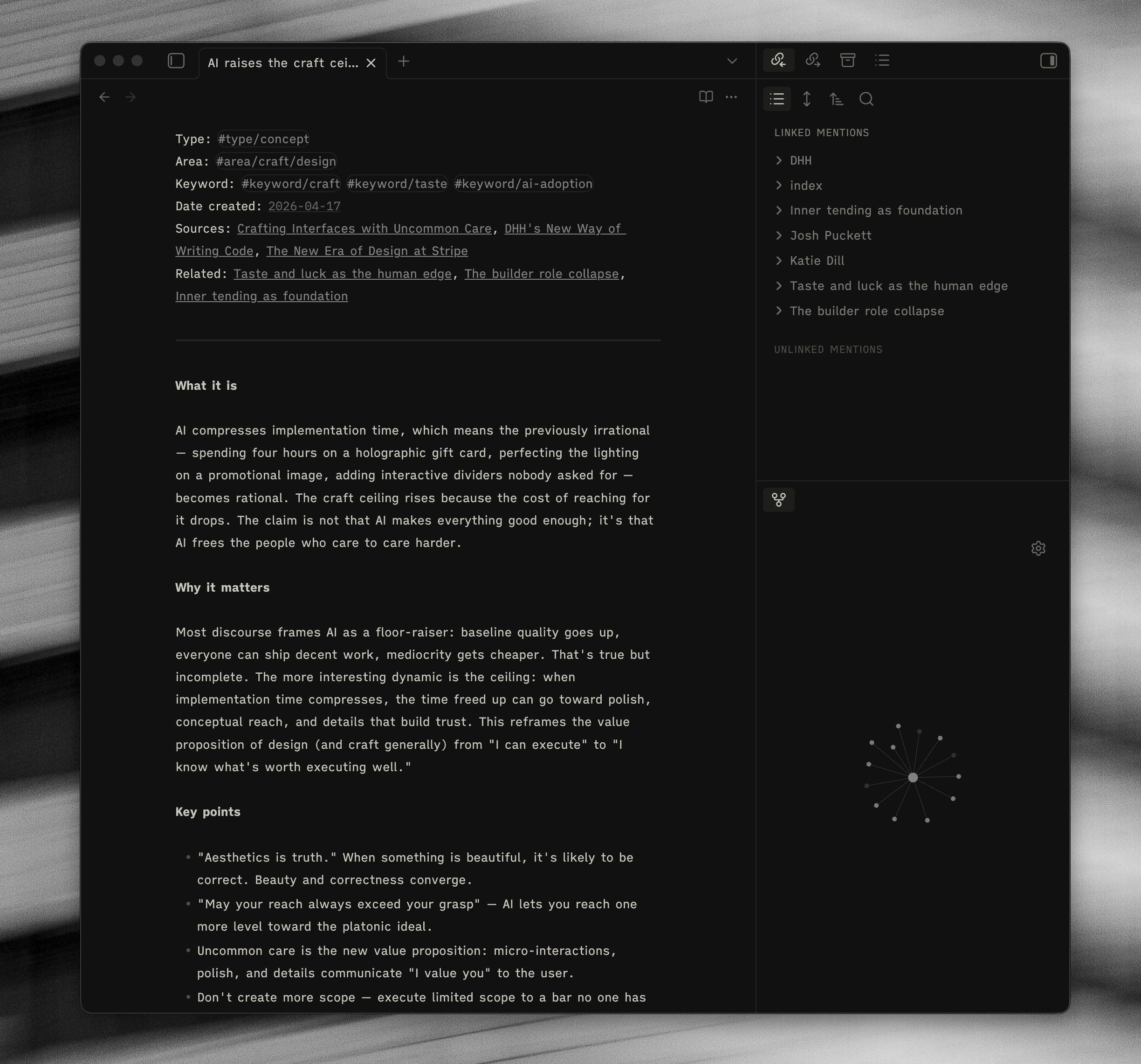
Once or twice a week, I run /foundry-compile. If there are enough sources behind a theme, Claude writes a concept page. Each concept page has the same shape - what it is, why it matters, key points, evidence across sources, open questions, and “Prompts for 2026.”
That last section is the payoff. “Prompts for 2026” is a list of essay-shaped questions where the concept intersects with things I have already written in my personal vault. They are things I could sit down and write about right now.
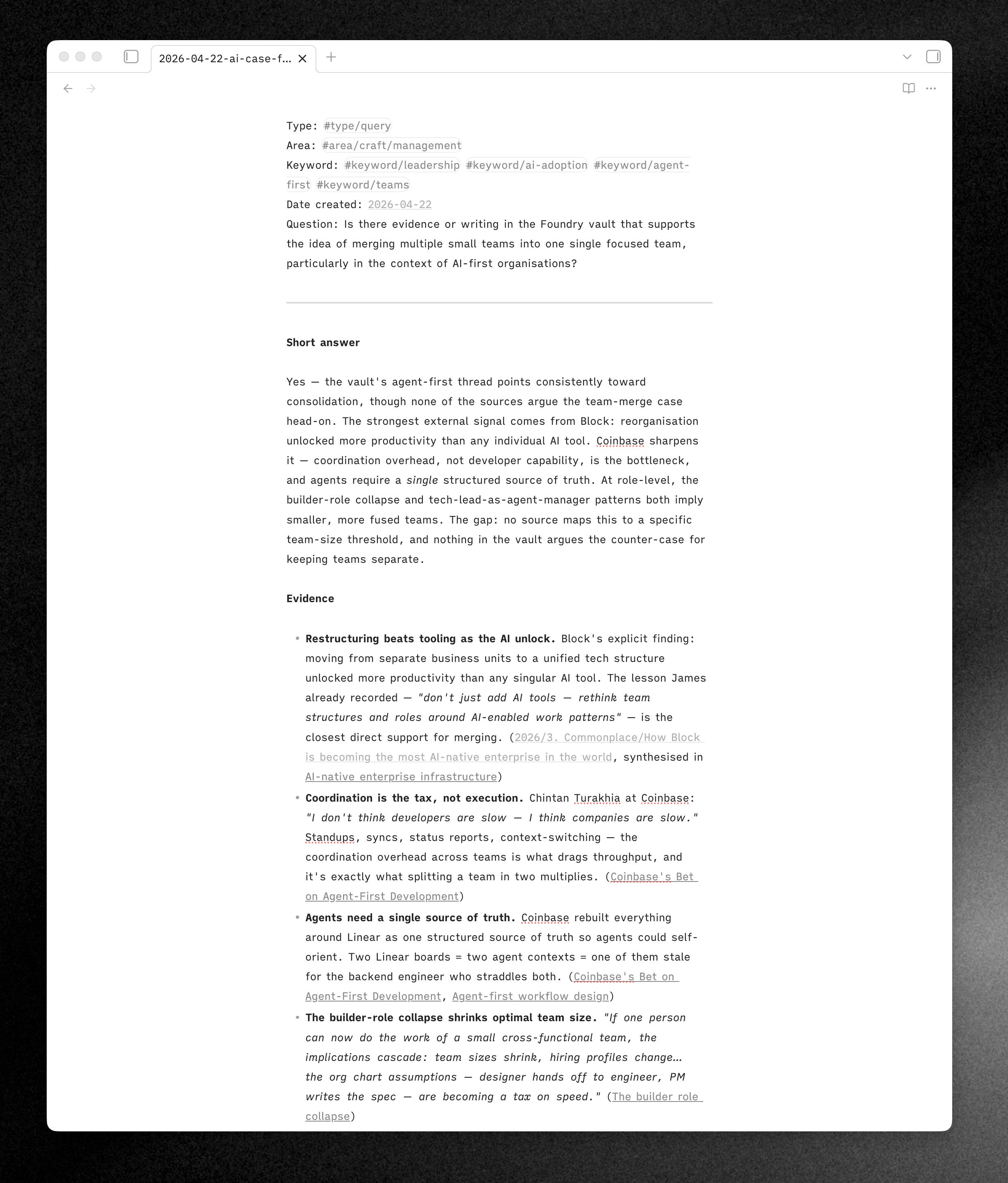
When I actually want to use the vault, I run /foundry-ask. I ask a question. Claude researches across sources and concepts, answers with citations, and the good answers get filed back into the vault. This is particularly useful when writing an article, or if I am thinking in particular about
An example of using this in anger recently was when we were discussing a change at work, in particular merging two smaller teams into one larger team. I asked the vault for evidence regarding merging teams in the context of AI-first organisations, and it gave me an answer based on the content I had given it. Sure, it can be biased, but it will flag up when it feels like it hasn’t given a balanced argument - and the value for me in this instance was the resources it directed me back to so I could re-read them with a new question top of mind.
Referencing My Personal Vault
This doesn’t replace my personal vault, and nor would I ever want it to! They both serve completely different purposes (I will touch in this next week). The intentional act of writing and curating an Obsidian vault is something I have taken great pride in, and it has bought me hours and hours of enjoyment over the years. Foundry is there to help, support and feed it.
My personal vault is read-only to Claude. Claude can read it, quote it sparingly, and link into it with [[2026/...]] style references when a Foundry note is informed by something I have written. But Claude cannot write, edit, move, or delete anything there.
My writing needs to stay mine. The whole point of setting it up this way is to keep my thinking mine - Claude can do the heavy lifting on everything else. Writing in my Obsidian vault, making notes, processing thoughts is still very much something I make time and space for.
I love writing in my Obsidian vault. It is one of the highlights of my day to sit with a coffee, process my thoughts and do some writing. For the years I have been using it, it has helped me distill my thinking and I genuinely see this as being a practice that will continue to enable me.
Being able to utilise AI to help me to write clearer, think deeper, understand my own nuances more deeply and build connections that I missed myself is my goal.
Having this agent-only vault that can digest and articulate knowledge faster than me, and help support what I was getting from my initial note-taking practice is something that I am genuinely reaping the benefits from.
Other Use Cases
I believe this paradigm is going to become more and more common, not just in personal knowledge bases, but for company wide knowledge bases also.
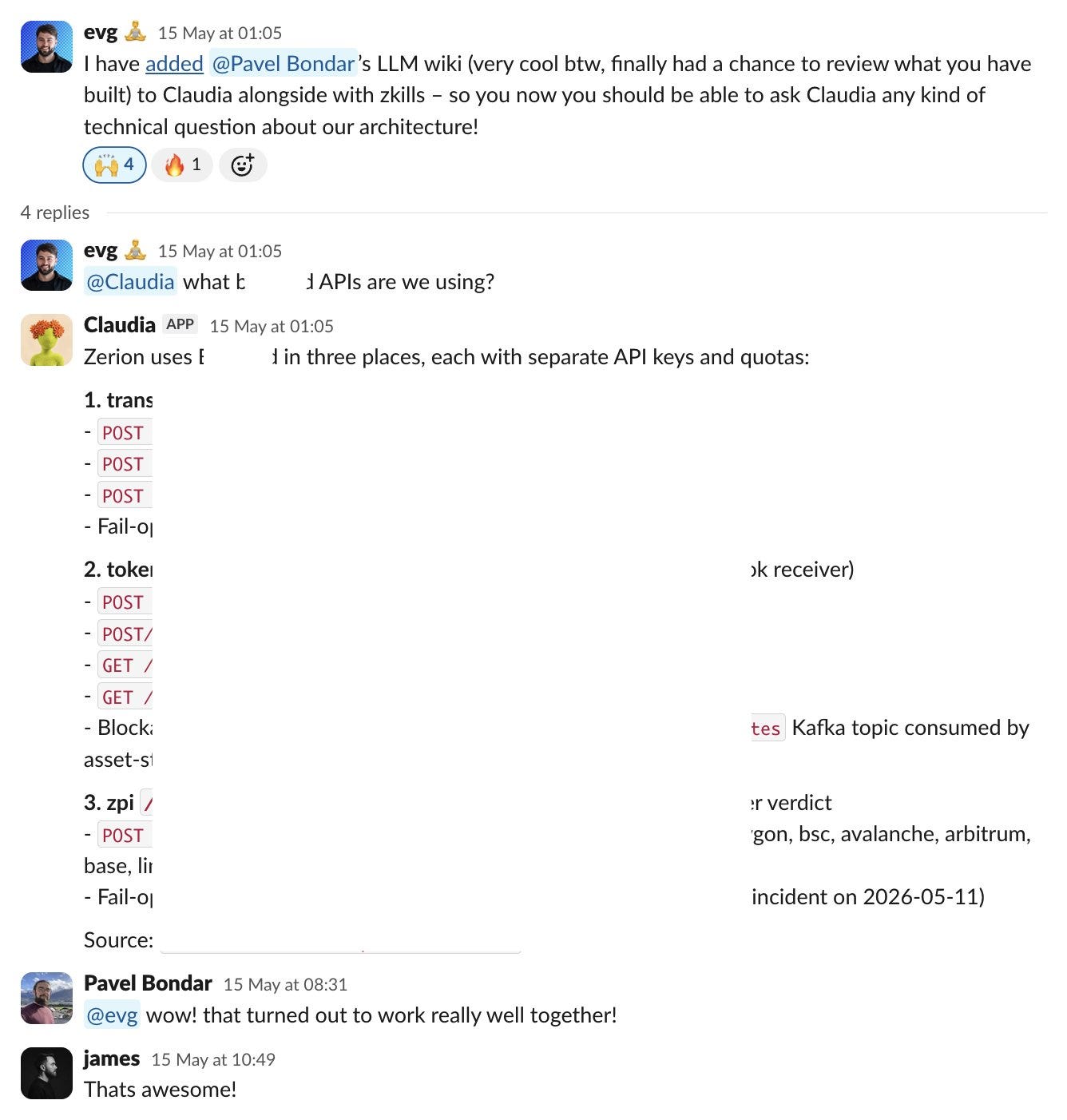
For example, we have started using an agent kept wiki at work to keep on top of architectural/technical changes across the stack. Whilst Foundry and my own content wiki is most useful for myself only, this is useful for a team or a collective. Below is an example of this vault being referenced in Slack.
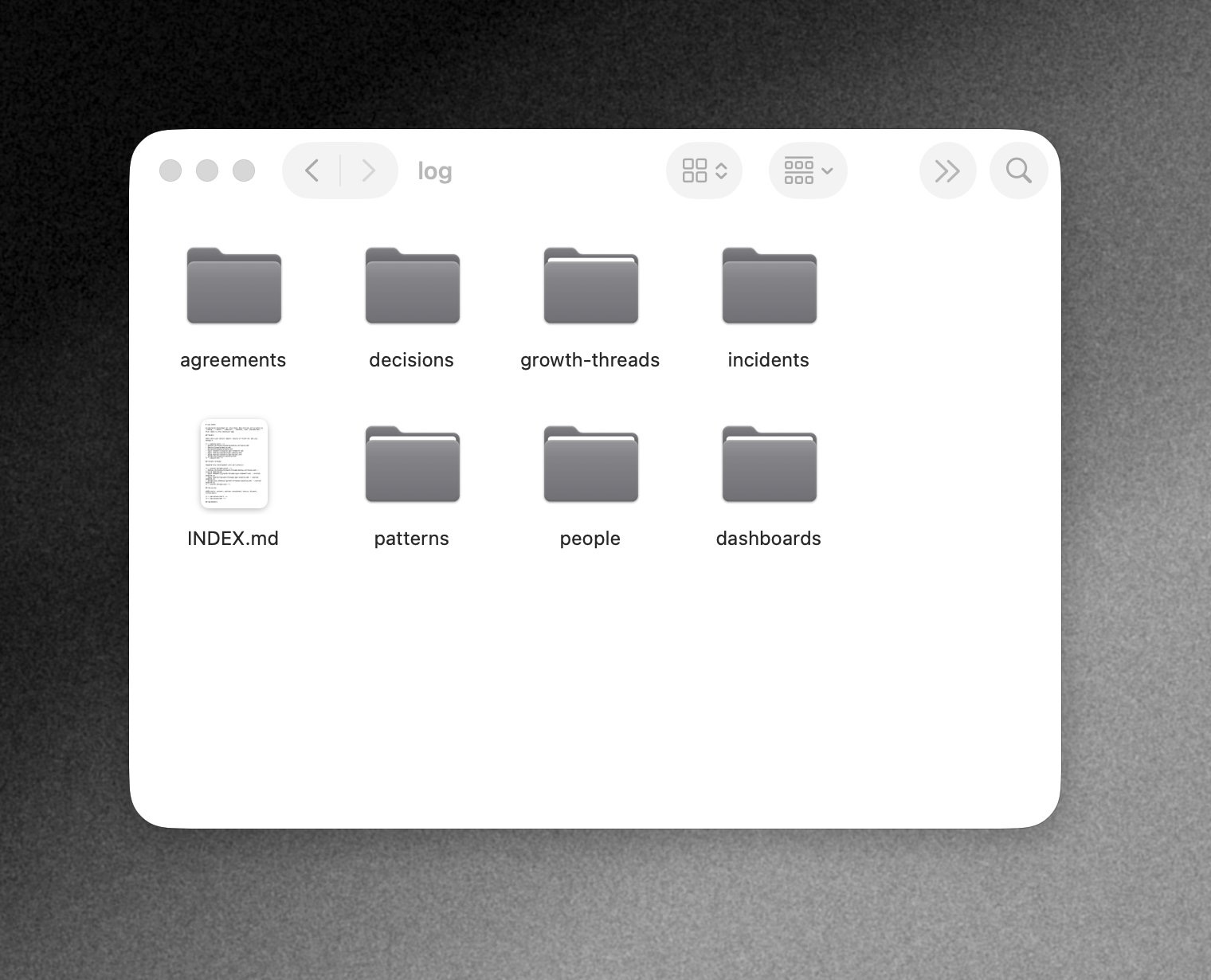
Another example is a personal use case I have for helping keep track of various parts of my day to day work an an engineering manager. I have designed the LLM wiki to keep track of the below topics as they happen through Linear, Granola, GitHub, Slack & Incident.io.
If you want to try the content vault for yourself, then I have open sourced it. This is set up to work with Claude only (for now). All you need to do is download it, and open it in Claude and it should work.
I have filmed and recorded a video of me using the vault and running through how I use it on a daily basis - how I capture content with Obsidian web clipper, and how this content progress’ through the vault. This is something I am going to be doing more of from now on, and with every article there will be a video demonstration and deep dive. This will be kept as a benefit for my growing list of paid subs <3. I am offering a discount for a short term for annual plans so there is not a better time to join!