


Most AI assistants know far more about our work than they do about us.
Connect Claude or ChatGPT to tools such as Linear, Gmail, Slack and Google Calendar, and they can quickly tell you which tickets are open, what meetings you have today and which emails are waiting on a response. This is incredibly useful, but it is only part of the picture.
It knows what is happening. It does not necessarily know what matters to you.
An Obsidian vault fills in that gap. In some peoples cases, it contains years of writing, but also a much clearer picture of what we are thinking about, the principles we try to follow and the things we want to prioritise. Giving an agent access to that context has been immensely valuable for me.
There still isn’t a lot of practical guidance on how to do this well. It is becoming easier than ever to connect the tools we use every day to AI (you only need to look at the plugin ecosystem in ChatGPT) but hooking tools up is only useful to a degree. I have started thinking about how I can design my Obsidian vault specifically to help me work with agents.
In this article, I am going to show you how I built a skill called /todays-focus. It pulls information from the tools I use for work, combines that with context from my Obsidian vault and gives me a short list of priorities and questions to think about each morning.
I use it most days. It has become a genuinely useful ritual, but it is also a great litmus test for whether your vault is organised in a way that an agent can understand.
Let’s go!
Getting Context From Obsidian
We are all pretty much used to this flow:
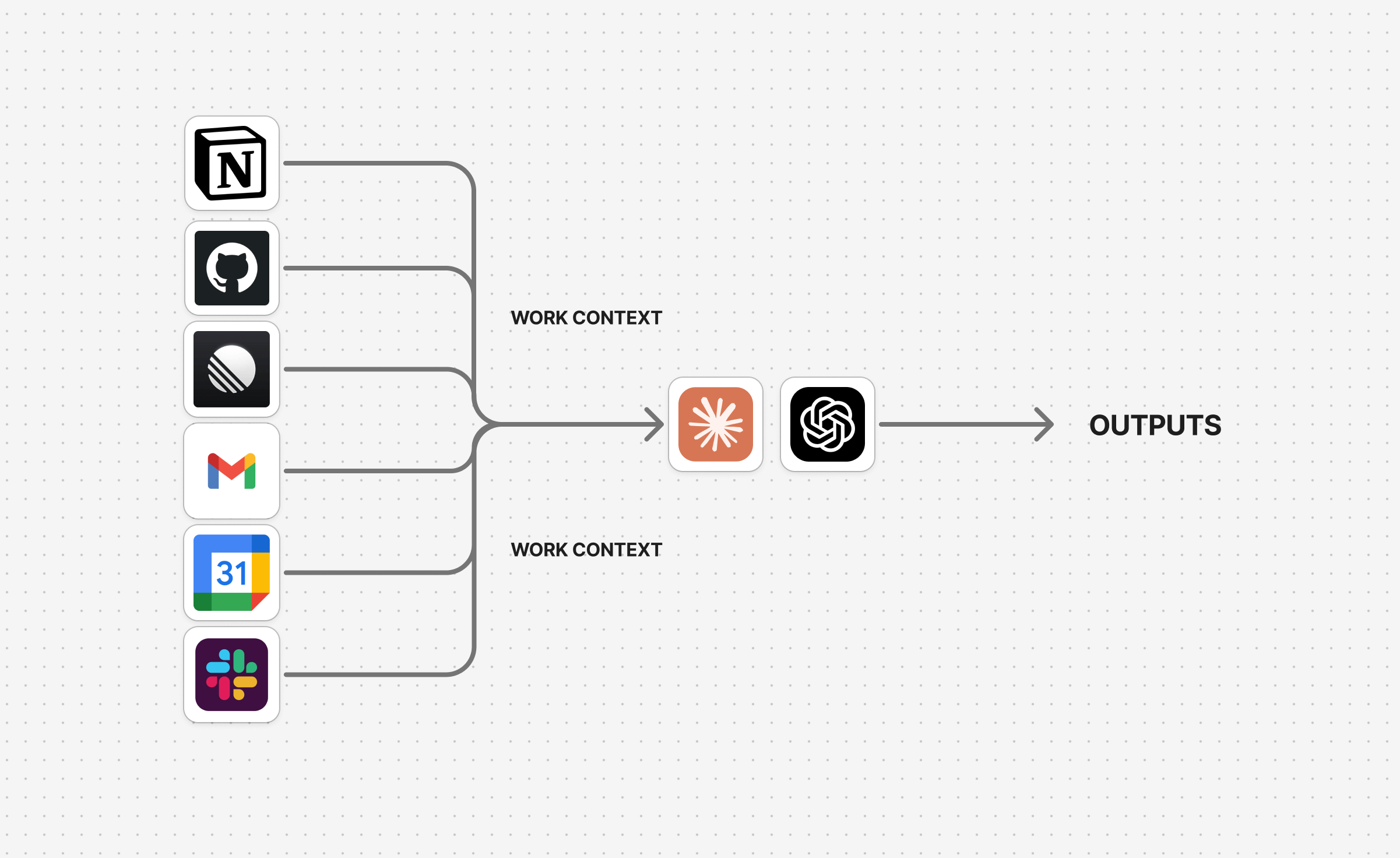
We connect our work tools to Claude or ChatGPT and allow them to pull in context. If I were an engineer and asked, “What tickets have I got to work on?”, I could be presented with a list without ever opening Linear. If I asked for my recent emails, I could see them without opening my mail client.
Of course, this is awesome. The limitation is that our work tools only contain one kind of context.
Linear might know which tickets are due, but it does not know that I am trying to make more time for creative work. My calendar knows what I have agreed to do, but it doesn’t know that I want to be trying to make more time to spend with my daughter in the evening.
We can use the same logic with whatever is inside an Obsidian vault:
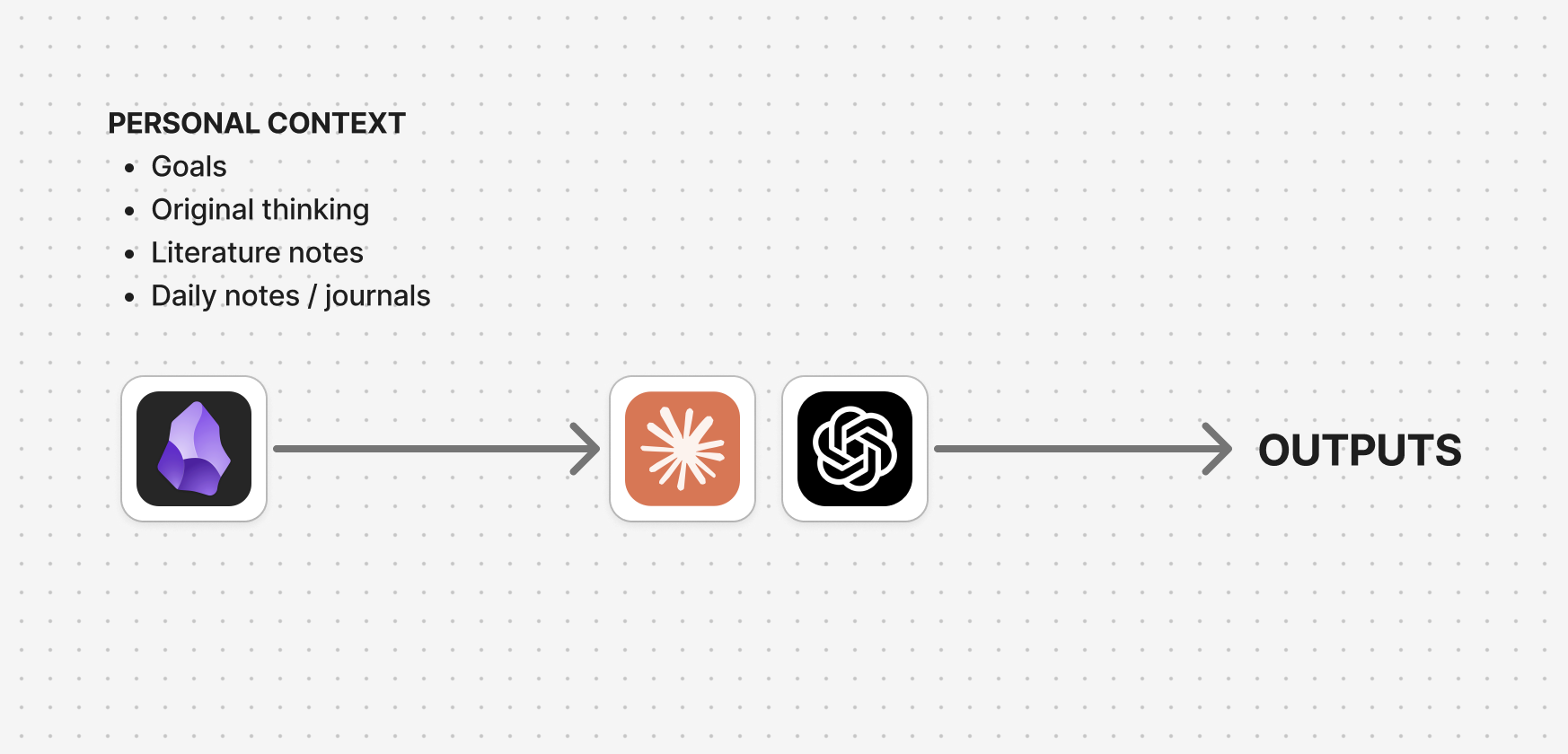
This gives an agent access to all of the writing we have done in our vaults, which for some people, means years and years of notes. We can also deliberately add a small amount of context that we know will be useful for an agent to have.
The combination is what makes this powerful. Our work tools tell the agent what is happening. Our vault helps it understand why any of it matters.
What /todays-focus does
The skill can be run each morning and is designed to give me a small, meaningful collection of focus areas and questions to sit with or journal on.
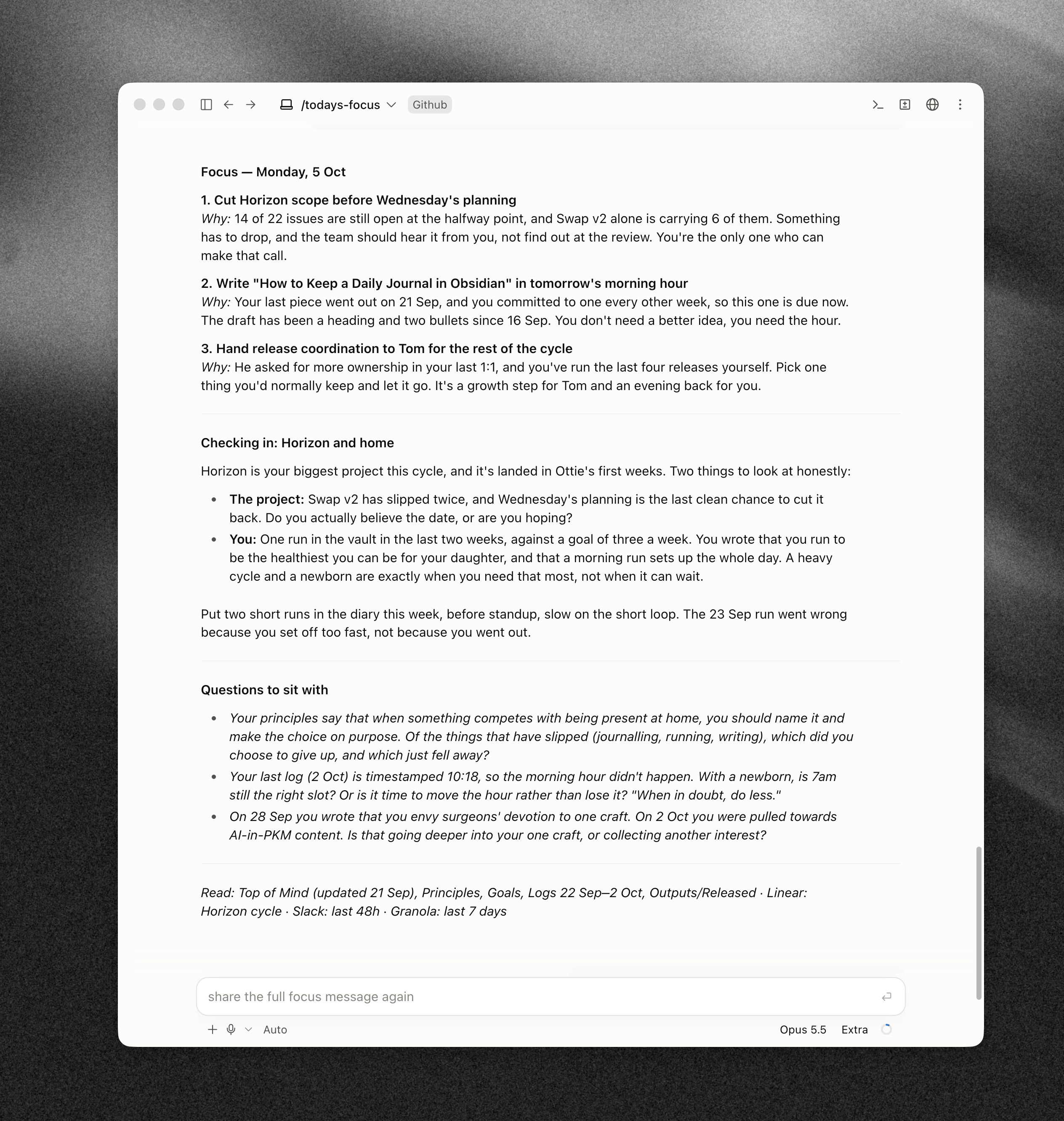
There are three parts to the output:
Three focus areas — the three most important priorities for the day, taken from my work tools and the context in my Obsidian vault.
Checking in — a couple of reflections that challenge me or point out something I may be overlooking.
Questions to sit with — three journal prompts that are specific to what is happening in my life at that moment.
The important part is not that it gives me another task list. I already have plenty of places where I can find things to do. The value is that it uses the context in my vault to make a judgement about which of those things should matter most.
I really love this structure, and it has become a ritual I use most mornings. Setting it up is also incredibly simple!
Step One: Connect your Work Tools
I use Claude primarily, but the same idea works with ChatGPT or another agent that can use connectors and read local files.
Day to day I use Linear, Notion, Google Calendar, Gmail, Slack, GitHub, Granola and a few other tools. These are the places where most of my work has lived over the last couple of years.
You do not need to connect everything (even though you could!). Start with the two or three sources that give the clearest picture of your day. For most people, a calendar and whichever tool holds their tasks is probably enough./todays-focus only checks Linear, Slack and Granola, because I have found these are enough to give it a useful view of my tasks, messages and meetings and generally they have the higher level priorities.
Depending on the agent you use, this will be through an MCP integration, a connector or a plugin. The goal is the same: allow the agent to retrieve current information from the tools where your work is happening.
Step Two: Give the Agent Access to Your Obsidian Vault
There are a few ways of doing this, but I like to work from the same local file directory as my vault.
An Obsidian vault is ultimately a folder full of Markdown files. If a local agent can read that folder, it can search the notes, follow links and use them as context without needing a special Obsidian integration.
Below is a diagram of what this structure looks like and how I think about it:
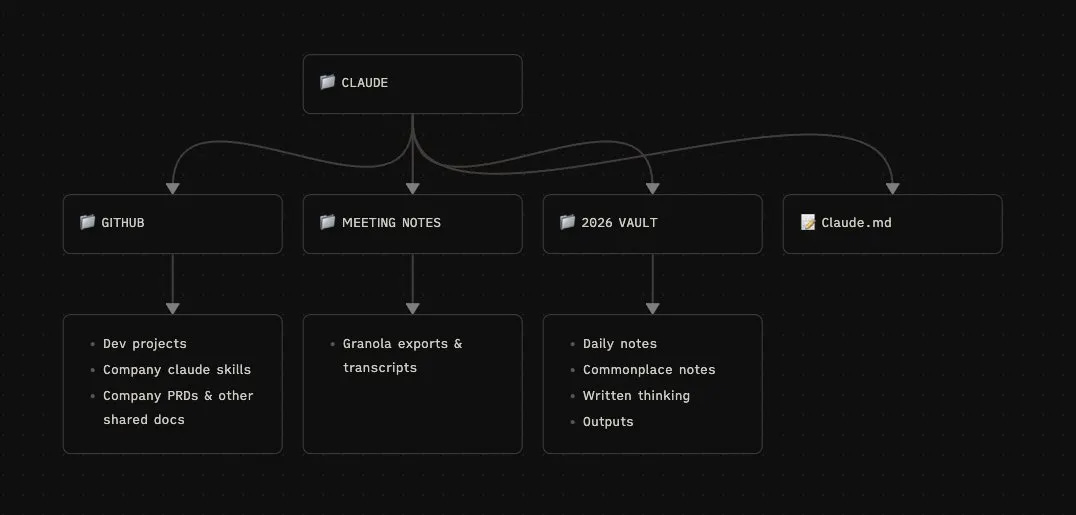
And below is the actual file structure on my machine. I have quite a few Obsidian vaults that I have been experimenting with, and the agent can read across all of them at once.
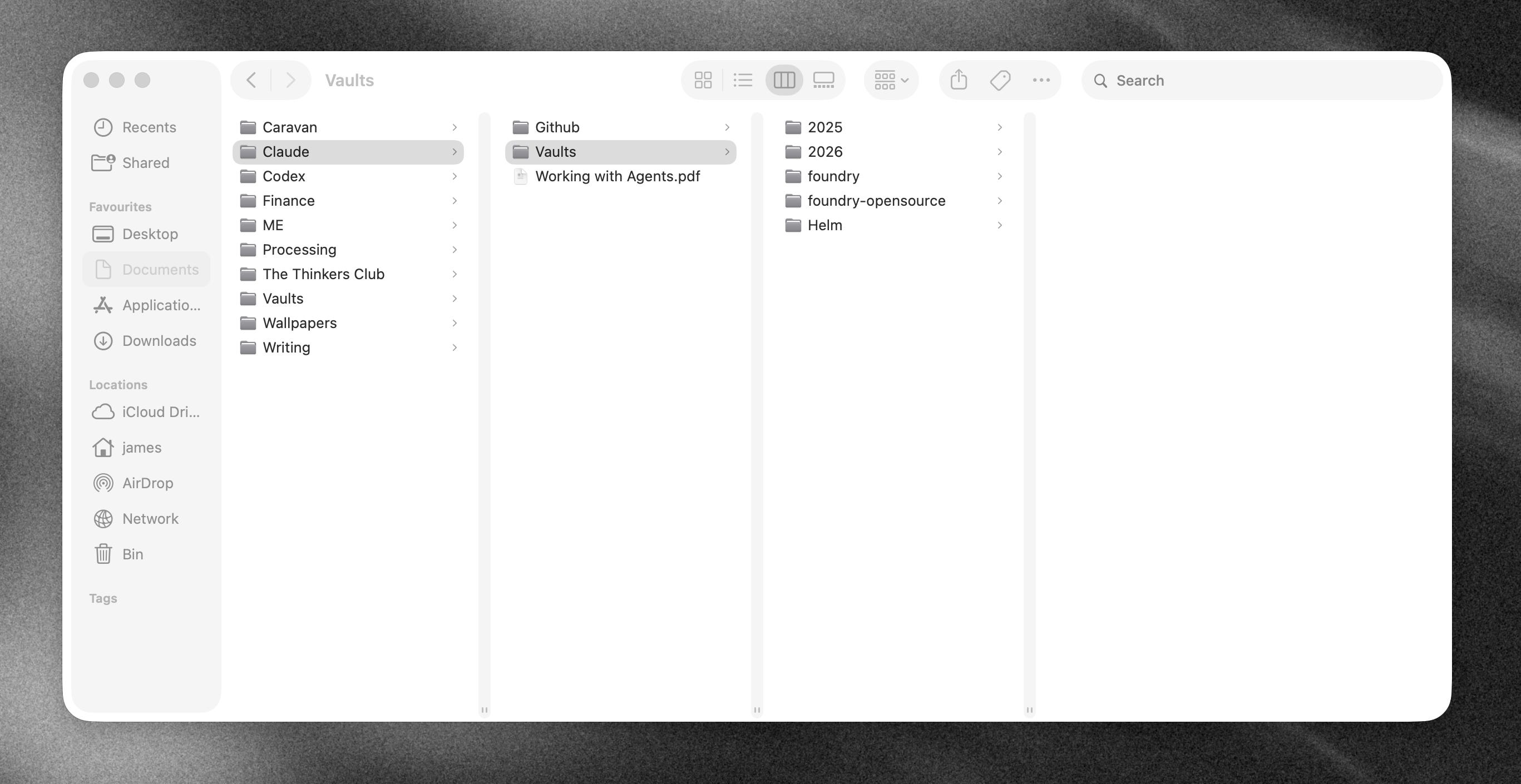
I recommend treating your personal vault as read-only. The agent can search and reference it, but it should not edit, move or create notes unless you explicitly ask it to. I want AI to help with my thinking, not quietly take over the space where that thinking happens.
Once the agent has access, you could point it at years of notes and hope it works out what is important. I have found it much more effective to create two documents that make the most useful context explicit.
Step Three: Create a Principles Document
A Principles document is a collection of the ideas you want to use when making decisions.
This is useful on its own, but it is particularly useful for an agent trying to understand how you work. Your principles help it reason about what is important to you, and this is useful context to help it with it’s decision making.
If you already have a good amount of personal writing in your vault, you can collaborate with AI to create this document. Ask it to read across your original writing, identify the values or patterns that appear repeatedly and show you the notes that support each one.
I recommend giving this a try even if you think you already know what the document will say. A few of my principles were patterns that Claude picked up across my vault before I had properly formulated the ideas myself. It was surprisingly good at noticing the smaller nuances.
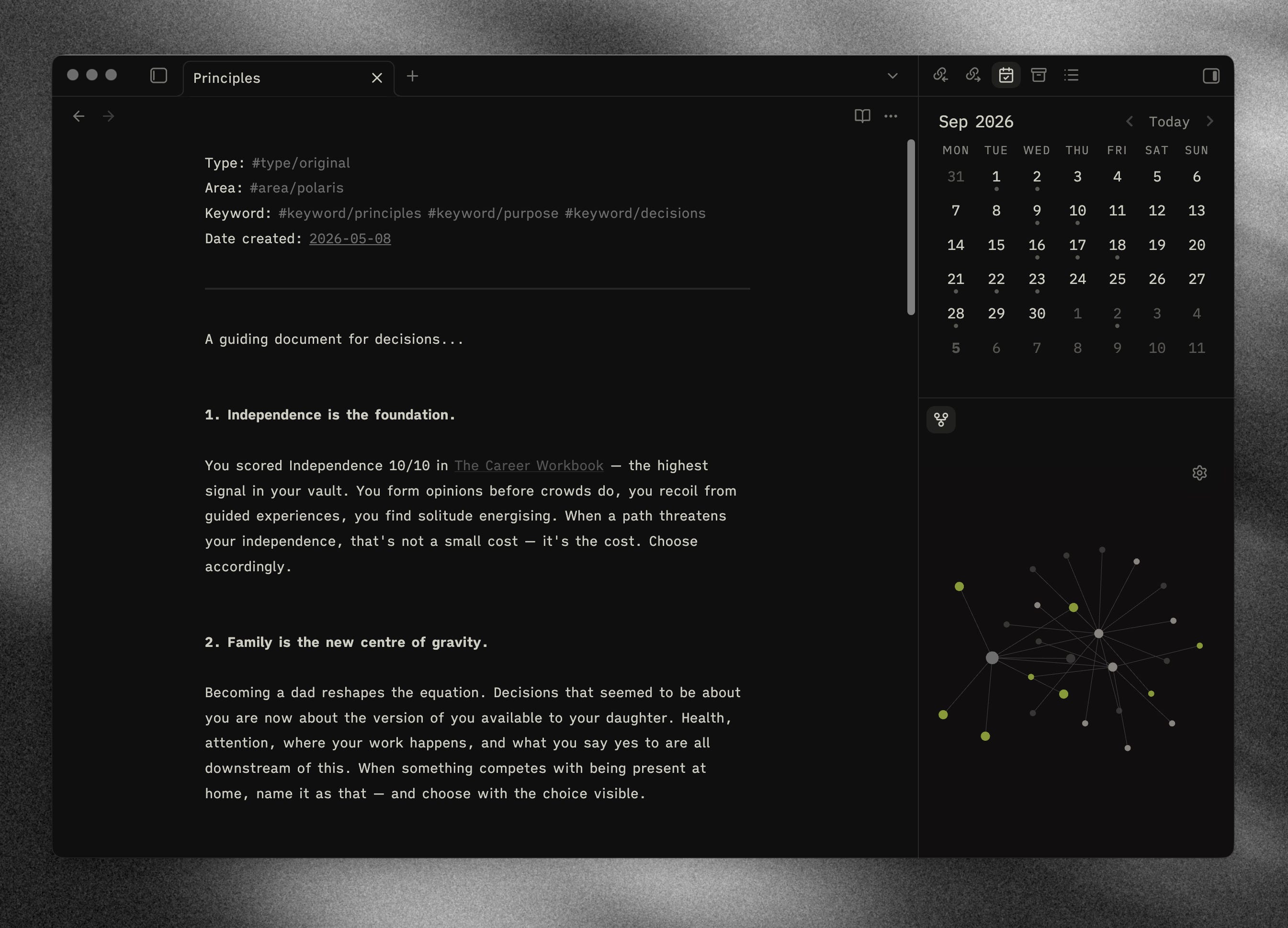
The finished document does not need to be long. What matters is that the principles are specific enough to guide a decision. /todays-focus uses mine when choosing priorities, writing the check-in and generating the journal prompts.
Step Four: Create a Top of Mind Document
A Top of Mind document is an ever-changing note about the things occupying most of your attention right now.
Principles are relatively stable and are likely not to change often, if at all. Top of Mind is the more immediate layer: a project I want to make progress on, a change happening in my life or something keeping me up at night. I update mine every few weeks so that it continues to reflect where my attention actually is.
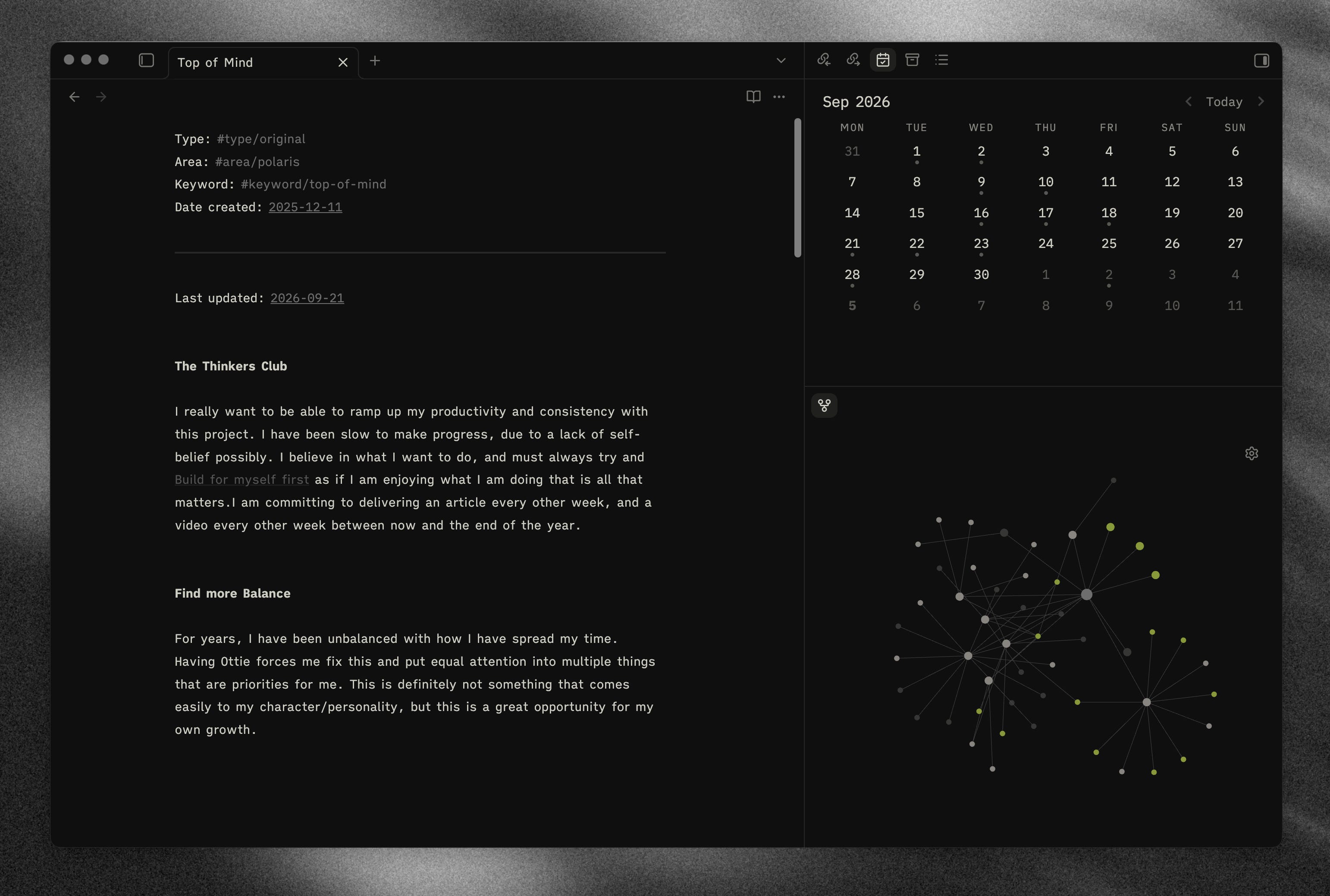
I try to keep only two or three points in here at a time, but update the note by moving the older points down. If the document contains a tonne of supposedly important things, it stops being useful as a signal. The constraint forces me to decide what really is at the top of my mind.
This note is particularly valuable for /todays-focus because it stops the skill from blindly prioritising whichever task happens to have the nearest deadline. It gives the agent a view of the bigger things I am trying to move forward.
Step Five: Create the Skill
A skill is generally just a Markdown document that tells an agent what to do when a command is run.
In this case, whenever I type /todays-focus, the agent follows the same process. It checks my connected work tools, reads my Principles, Top of Mind and Goals documents, looks over my recent logs and writing, and returns the answer in the same structure each time.
The skill starts with a simple Sources table. Each row describes a role — such as task tracker, messaging or meetings — the tool I use for it and the information to retrieve. This means somebody using Jira instead of Linear can change one row without having to rewrite the whole skill.
The instructions cover five main things:
Which work sources to check.
Which notes in the vault to read.
How to weigh urgency against the wider context in those notes.
The exact structure of the response.
What the skill should not do, including editing my vault or inventing priorities when the evidence is weak.
Keeping the output consistent is important. Without a clear structure, it is very easy to end up with a huge morning briefing that creates more work than it removes. I want three priorities, a short check-in and three questions. Nothing more.
The exact place you save the Markdown file will depend on the agent you use. Once it is installed and available to the agent, the /todays-focus command becomes the repeatable trigger for the process.
I have written out the complete skill file and shared it here. It contains my own tools and vault paths, so make sure you replace those with your own before using it:
Step Six: Run It and Refine the Context
Once the skill is in place, run it for a week and pay attention to where the output feels wrong.
If it consistently misses something important, the problem might be the instructions. But it might also be telling you that the important context is not clear anywhere in your system.
This is why I think /todays-focus is such a good litmus test for an Obsidian vault. If an agent can search your work tools and read your notes but still cannot work out what matters, it is worth asking whether you have made those priorities explicit for yourself.
I tend to refine one of three things:
The skill when the process or output is wrong.
Top of Mind when the agent is working with an outdated picture of my life.
Principles when I notice that an important decision-making rule is missing or no longer feels true.
You do not need to build an elaborate information architecture for this to work. A folder of Markdown files, one relatively stable note and one note that changes with your attention is enough to get started.
The daily output is useful, but the deeper value is in creating a clearer bridge between the work I need to do and the life I am actually trying to build.
That is where Obsidian becomes much more than a collection of notes. It becomes context an agent can genuinely use.